


Published on
Order Processing Automation: What It Delivers and How to Start
Order processing automation turns manual order intake into a fast, reliable pipeline that cuts errors and frees your team for higher-value work. Manual PO cycles that once took days can shrink to hours once the right systems are connected, according to IBM’s research on purchase order automation.
Two automation types matter most: capture (pulling structured data from PDFs, emails, and EDI feeds) and execution (posting that data into your ERP and routing it to fulfillment).
One KPI to watch: order cycle time, the clock from order receipt to confirmed fulfillment.
Your first move should not be buying software. Run a data-quality check on your current order intake this week. Pull the last 50 orders and see how many required manual correction before they reached your ERP. That number tells you exactly where automation will pay off first.
Key Takeaways
Order processing automation succeeds when capture and execution are treated as separate problems, each solved in its own phase before scaling to AI-driven exception handling.
Point | Details |
|---|---|
Capture comes first | Extract structured data from PDFs, emails, and EDI before automating downstream ERP posting. |
Pilot one channel | Start with your highest-volume order channel to prove ROI and limit project risk. |
Track two KPIs | Measure order cycle time and error rate separately across every automation phase. |
Name exception owners | Assign a specific person and SLA for orders that fail automated validation. |
BRDGIT builds the roadmap | BRDGIT runs readiness assessments, phased pilots, and fractional engineering support for teams scaling automation. |
Table of Contents
What Is Order Processing Automation?
What Operational Benefits Can You Actually Measure?
What Automation Patterns and Tools Actually Work?
How Do You Roll Out Automation Without Breaking Everything?
What Mistakes Derail Order Automation Projects?
How Does BRDGIT Structure an Automation Engagement?
Why Capture Discipline Beats Tool Selection
Get Hands-On Help Building Your Automation Roadmap
Sources
What Is Order Processing Automation?
Order processing automation is the use of software to move an order through five stages without manual re-keying: capture, validate, route, execute, and reconcile. Capture means pulling data out of unstructured inputs, an email, a scanned PDF, a fax, an EDI transmission, and turning it into structured fields a computer can act on. Execution means posting that structured data into your ERP or warehouse management system, allocating inventory, and routing the order to the right fulfillment location or carrier.
That distinction between capture and execution is where most vendor explainers get vague, and it’s where projects actually stall. A capture layer turns documents into structured fields; it’s often the missing piece that procurement suites assume already exists. You can have a state-of-the-art ERP and still be typing order data by hand if nothing upstream is extracting it cleanly.
The typical technical stack includes:
Order management system (OMS): the central hub that tracks order status across channels
ERP connectors: integrations that push validated order data into finance and inventory systems
EDI: the standardized electronic format many B2B partners still require for purchase orders and invoices
OCR and NLP tools: optical character recognition and natural language processing that read unstructured documents and extract line items, quantities, and pricing
Reconciliation closes the loop, matching what was ordered, shipped, and invoiced so nothing falls through in accounting. Skip that step and you’ve automated the front end while leaving your books exposed.
What Operational Benefits Can You Actually Measure?
The benefits of order automation show up in five places you can track on a dashboard, not just in vague promises about “efficiency.”
Speed. Automated capture and routing shrink order cycle time because orders no longer sit in an inbox waiting for someone to open and key them in. IBM notes that PO automation integrated with accounting and inventory systems moves manual cycles from days to a matter of hours.
Accuracy. Manual data entry is where most order errors originate, wrong SKU, wrong quantity, wrong ship-to address. Removing the re-keying step removes most of that risk, and fewer errors mean fewer costly returns and credits.
Labor productivity. Staff who used to spend their mornings transcribing purchase orders get redeployed to exception handling, customer calls, and vendor negotiation, the work that actually needs a human judgment call.
Cost reduction. Smarter routing avoids unnecessary carrier fees and split shipments, and fewer manual touches means fewer penalty situations with retail partners who fine you for late or inaccurate order confirmations.
Customer experience. Faster, more accurate order confirmations let you set realistic service-level agreements and send proactive shipment notifications instead of reactive apologies.
Amazon Business frames this plainly: automation reduces human error, improves compliance visibility, and speeds up the entire purchase-order lifecycle, benefits that compound as order volume scales. That compounding effect matters more than any single metric. A 5% error rate at 100 orders a month is a nuisance. The same rate at 10,000 orders a month is a full-time headache, and it’s the reason growing companies hit a wall with manual processes right when growth should be paying off.
Pro Tip: Track order cycle time and error rate separately before and after each automation phase. Combining them into one “efficiency score” hides which lever actually moved the needle.
What Automation Patterns and Tools Actually Work?
Concrete patterns beat abstract promises. Here’s what streamlined order processing looks like when it’s built well, broken into the two halves that matter: getting data in, and acting on it.
Capture patterns:
OCR and machine learning extraction that reads PDF purchase orders and inbound emails, converting free text into structured line items
EDI ingestion for trading partners who require standardized formats (850 purchase orders, 810 invoices)
API and webstore feed capture that pulls orders directly from e-commerce platforms without a human touching them
Esker’s approach to this layer uses AI-driven capture and verification to boost recognition rates across document formats, while a document-intelligence platform like Docupow applies similar automated extraction to reduce the manual review queue that piles up around messy PDFs and scanned faxes.
Execution patterns:
ERP posting that takes validated order data and creates the corresponding sales order or purchase order record automatically
Inventory allocation that checks stock across warehouses in real time before confirming ship dates
Fulfillment routing and carrier selection that picks the cheapest or fastest option based on rules you set
Three-way matching, comparing purchase order, receipt, and invoice, that flags discrepancies before payment goes out
This is where AI order management earns its name rather than just being a rebrand of old rules engines. Traditional OMS platforms apply static if-then logic. AI order management adapts: it predicts which warehouse can fulfill fastest, flags an order likely to be returned before it ships, and reroutes around a carrier delay without waiting for a human to notice, a distinction Salesforce lays out clearly in its comparison of rule-based versus adaptive systems.
Specialized AI agents are the newest layer on top of that. One example, Pipe17’s Pippen, diagnoses order exceptions using live connector data and can propose or build the fix itself, cutting investigation time that used to run hours down to seconds. That’s the direction purchase order automation is heading: not just moving data faster, but resolving the problems that data reveals.
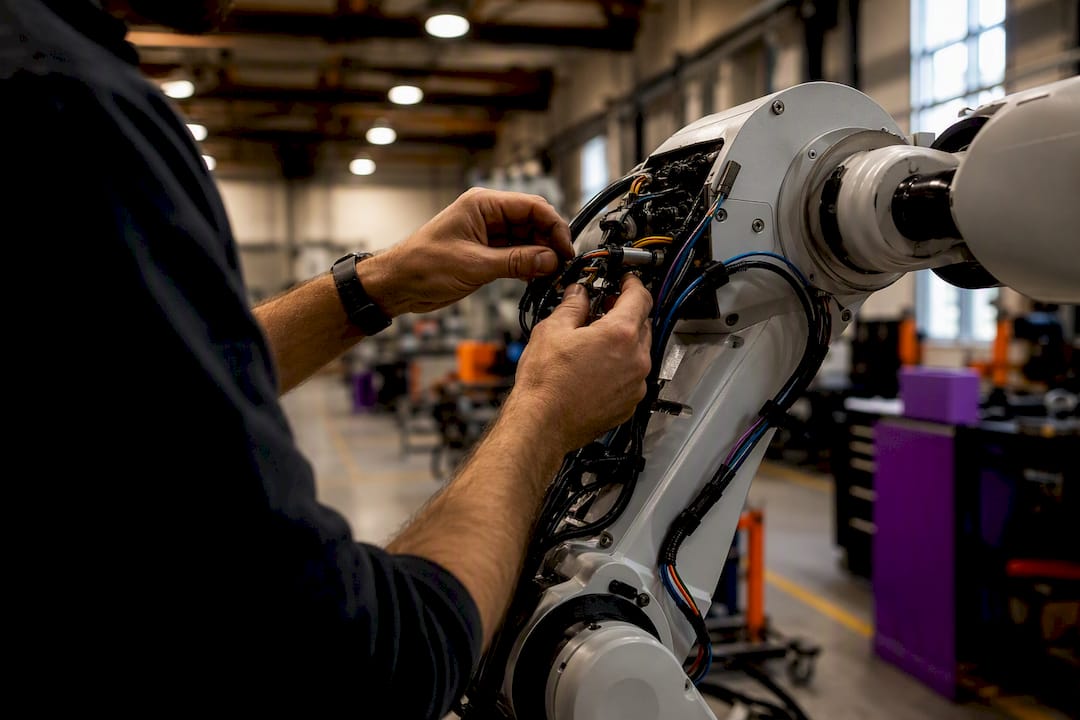
Behind all of it sit the integration pieces that make patterns actually connect: middleware and connectors that translate between systems, webhooks that trigger real-time updates, EDI translators for partner-specific formats, and master data management (MDM) that keeps product and customer records consistent across every system touching the order.
How Do You Roll Out Automation Without Breaking Everything?
A phased approach beats a big-bang ERP replacement almost every time. Piloting the highest-volume channel first delivers the fastest return and the lowest project risk, because you learn what breaks before you’ve committed your whole operation to it.
Phase 0, readiness (weeks 1 to 2). Inventory every order channel you currently receive, email, EDI, web, fax, and map how data moves between them and your ERP or WMS. Set two or three baseline KPIs, order cycle time and error rate are the standard starting points, so you have something to measure against later.
Phase 1, quick wins (weeks 3 to 8). Automate capture for your single highest-volume order channel first. Add basic routing rules, not full AI, just clear if-then logic for common order types. This is deliberately a pilot, not a rollout: one channel, one team, one measurable outcome. Choosing the right first workflow to automate matters more than picking the flashiest tool.
Phase 2, scale (months 3 to 6). Integrate with your ERP and WMS so execution happens without manual handoffs. Build exception workflows with named owners, someone specific has to be responsible when an order fails validation. Add ongoing monitoring dashboards tied to the KPIs you set in Phase 0.
Phase 3, advanced (months 6 to 12). Introduce AI agents for exception resolution, predictive inventory allocation, and adaptive routing. This phase only works if Phases 1 and 2 gave you clean data to train and trust these systems on.
Realistic ownership: a pilot needs one process owner and one IT or automation partner, not a steering committee. Timelines that stretch a 90-day pilot into a year usually mean the scope crept, not that the technology failed.
Pilot milestone (30 to 45 days): one channel automated, error rate baseline established
90-day milestone: cycle time reduction measurable, exception workflow documented
6 to 12 month milestone: ERP/WMS fully integrated, first AI use case live
Pro Tip: Resist the urge to automate every channel simultaneously. A single well-run pilot that hits its 90-day KPI target builds the internal case for budget far better than five half-finished integrations.
What Mistakes Derail Order Automation Projects?
Most stalled projects trace back to a handful of avoidable mistakes, and they repeat across industries because the underlying assumption is the same one every time.
Confusing capture with execution. Assuming your ERP will “handle” messy incoming data is the single most common cause of a stalled rollout. Validate and structure the input before you automate what happens downstream.
Skipping mapping and master data work. If product codes, customer IDs, or units of measure don’t match cleanly between systems, automation just multiplies errors faster than a human ever could.
No clear exception ownership. Every automated workflow eventually hits an order it can’t resolve. If there’s no named person and no service-level agreement for handling that exception, it sits in limbo while customers wait.
Underestimating change management. Staff who’ve run manual processes for years need real training and a staged rollout, not a memo announcing the new system goes live Monday.
Pro Tip: Build your exception-handling rules before you launch, not after the first ticket comes in. Teams that design the human-in-the-loop process upfront resolve exceptions in hours instead of days.
How Does BRDGIT Structure an Automation Engagement?
BRDGIT builds order processing automation projects around the same phased logic covered above, because that’s the approach that actually holds up once the pilot ends and scaling begins.
A typical engagement starts with a readiness assessment, mapping your current capture gaps, ERP connections, and data quality, before any tooling decision gets made. From there, BRDGIT builds a roadmap prioritized around quick wins, runs a pilot on your highest-volume channel, and provides fractional engineering support so you’re not stuck hiring a full-time automation team for a project with a defined scope.
Readiness assessment and integration mapping
Phased roadmap tied to measurable KPIs
Pilot implementation on one channel first
Fractional AI engineering for ongoing support and scaling
The teams that succeed at this treat clean capture as the foundation, not an afterthought, everything downstream depends on it.
Deciding between building in-house and bringing in a partner usually comes down to three questions: does your team have integration and AI engineering skills already, how fast do you need results, and what’s the realistic budget for a dedicated hire versus a fractional engagement. For most small and mid-sized operations, a fractional model closes that skills gap without the twelve-month hiring timeline.
Pro Tip: If your team can’t clearly answer “who owns exception handling” today, you’re not ready for Phase 2. Fix ownership before you scale integrations.
Why Capture Discipline Beats Tool Selection
Most advice on this topic obsesses over which platform to buy. That’s backward. The research consistently points to the same conclusion: the quality of your capture layer determines whether any downstream tool, ERP, WMS, or AI agent, ever delivers what its sales deck promised. A brilliant routing engine fed bad data just routes bad data faster.
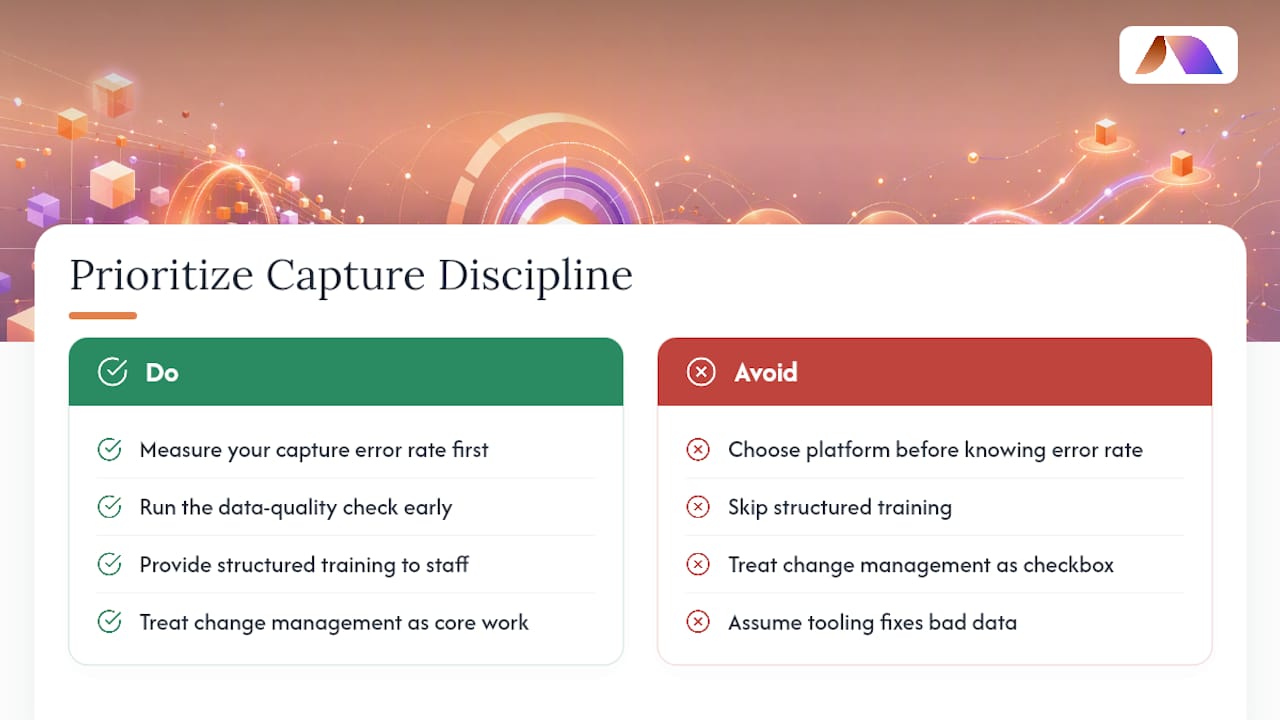
The conventional wisdom also undersells change management, treating it as a checkbox instead of the actual determinant of whether a rollout survives contact with real staff. Teams that skip structured training don’t fail because the software was wrong. They fail because nobody explained to the person keying in orders why their job just changed, or what to do when the system flags something it can’t resolve.
If you take one thing from this guide, prioritize the data-quality check mentioned at the start over any vendor demo. Know your error rate before you know your tool stack. Everything else, integration choices, AI agents, phased timelines, follows from that one number.
— Team BRDGIT
Get Hands-On Help Building Your Automation Roadmap
BRDGIT is the alternative to hiring a full-time automation team for order processing projects that don’t need one, giving you fractional AI engineering support scoped to your actual timeline and budget instead of a permanent headcount commitment.
If the phased approach in this guide sounds right but you don’t have the internal bandwidth to run a readiness assessment, map your integrations, and pilot a channel, that’s exactly the gap BRDGIT’s fractional engineering model fills. You get experienced AI and automation talent for the scope of the project, from the initial data-capture audit through ERP integration and exception-workflow design, without the twelve-month hiring cycle a full-time engineer would require. Explore BRDGIT’s fractional engineering services and book a readiness conversation to find out where your order processing workflow stands today and what a realistic 90-day pilot would look like for your team.
Sources
For readers who want to verify the mechanics behind this guide, IBM’s overview of purchase order automation covers the capture-versus-execution distinction and cycle-time data referenced above. NetSuite’s guide to automating order processing lists concrete automation patterns across the order lifecycle, and Salesforce’s explainer on AI order management details how adaptive routing differs from static rules engines. Amazon Business covers the compliance and accuracy benefits cited in the benefits section, and PurchaseOrders.io makes the capture-first case in more depth. For related reading on BRDGIT’s site, see how AI automation improves order accuracy and what AI-powered order fulfillment looks like.



