


Published on
Fix Bottlenecks in 4 Steps: Process vs Task Mining for Operations
Process mining reads system logs to reconstruct how a case moves end to end, revealing bottlenecks across departments. Task mining watches how individual people work inside those steps, revealing the clicks, copy-paste habits, and workarounds that never make it into a log. Start with process mining to find where the process breaks. Layer in task mining once you know which hotspot deserves a closer look. Used together, they turn a vague sense that “operations feel slow” into a specific, fundable improvement plan.
TL;DR:
Process mining requires high-quality, structured logs from enterprise systems, which can delay deployment due to extensive data engineering tasks.
Task mining offers faster deployment on specific hotspots by capturing user actions on desktops, but it produces noisy data that demands significant cleanup.
Use process mining first to identify broad process inefficiencies, then deploy task mining on flagged bottlenecks for detailed insight.
Prioritize internal planning around case ID reconciliation, privacy governance, and clear targeting to avoid common project delays.
The most effective approach involves starting with process mining for a general view, then using task mining to inform automation pilots, rather than rushing into either tool first.
BRDGITTurn Bottlenecks Into ActionBRDGIT helps teams identify AI opportunities, build practical roadmaps, and automate workflows with support matched to their needs.Explore BRDGIT
Table of Contents
What Is Process Mining and What Does It Reveal?
What Is Task Mining and What Does It Reveal?
Process Mining vs. Task Mining: What Actually Differs?
When Should You Use Each Approach?
Implementation Pitfalls and BRDGIT’s Practical View
Our Take: Sequence Beats Sophistication
Sources
FAQ
What Is Process Mining and What Does It Reveal?
Process mining reconstructs how work actually flows by analyzing event logs pulled from systems of record, such as an ERP, CRM, or claims platform. Each log entry needs a case ID, an activity name, and a timestamp. Stitch enough of those together and you get a visual map of every path a purchase order, invoice, or insurance claim took on its way to completion, including the ones nobody planned for.
Academic work on the discipline, notably Wil van der Aalst’s foundational research, frames process mining around three core tasks: discovering the real process model, checking whether reality conforms to the documented procedure, and analyzing performance to find where time and money leak out. That’s a useful mental model when you’re deciding what to ask a vendor or an internal analytics team to deliver.
Typical outputs include:
Process maps showing every variant a case actually followed, not the tidy version in the training manual
Conformance reports flagging where staff deviate from the approved procedure
Cycle-time and rework metrics tied to specific process steps, not vague averages
Order-to-cash, procure-to-pay, insurance claims handling, and audit or compliance reviews are the classic use cases, largely because those processes generate clean, structured log data across a handful of systems. The blind spot is real, though: process mining can’t see what happens in a spreadsheet, an email thread, or a manual desktop workaround that never touches the logged system. It also demands real integration work to line up case IDs across platforms before any of it produces a usable map.
What Is Task Mining and What Does It Reveal?
Task mining captures what a person actually does at their desk: clicks, keystrokes, application switching, copy-paste sequences, sometimes screen recordings. Where process mining sees “invoice approved” as a single timestamped event, task mining sees the seven minutes an employee spent toggling between three browser tabs and a spreadsheet to get there.
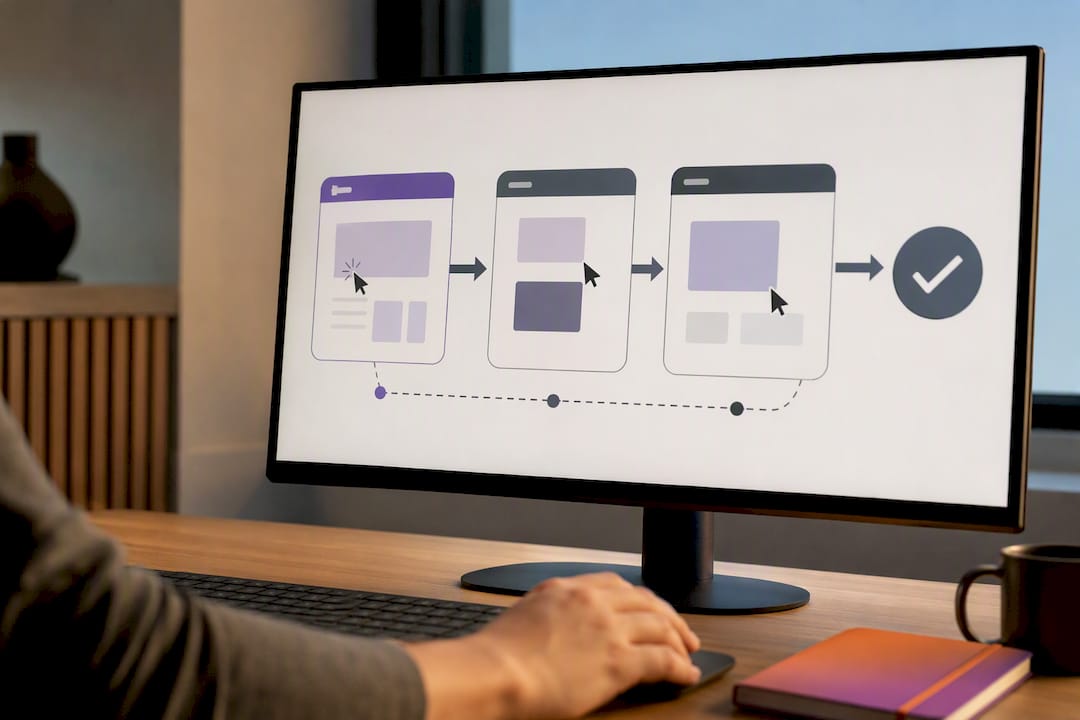
Microsoft’s Process Advisor documentation describes exactly this distinction: process mining works from event logs in systems of record, while task mining captures desktop-level user actions to surface automation opportunities and explain workarounds that logs alone can’t show.
Typical outputs look different from process mining’s clean maps:
Task flow diagrams showing the literal sequence of clicks and keystrokes for a given job
Frequency counts identifying which repetitive actions eat the most time across a team
Automation candidate lists ranking tasks by how rule-based and repeatable they are
This makes task mining especially valuable for RPA candidate discovery, spotting compliance risks in manual data entry, and understanding desktop-heavy roles like claims processing or accounts payable where much of the real work never touches a central system. The tradeoff is volume and noise: capturing every click across dozens of employees generates enormous datasets that need de-duplication and clustering before patterns emerge, and privacy expectations around monitoring individual screens require clear governance from day one.
Process Mining vs. Task Mining: What Actually Differs?
The two methods diverge on nearly every practical dimension a process manager cares about, and the differences explain why teams that pick the wrong one first often waste months.
Data source. Process mining pulls from structured event logs already sitting in enterprise systems. Task mining captures raw user interaction data, often via lightweight agents installed on employee desktops.
Scope and granularity. Process mining works end to end across a whole case lifecycle, spanning multiple systems and departments. Task mining zooms into a single workstation, tracking a task’s micro-steps rather than the process’s macro-path.
Primary goal. Process mining answers “where does this process break down.” Task mining answers “why does this specific step take so long.”
Deployment effort. Process mining requires mapping case IDs across systems before any model is trustworthy, a job that practitioner reporting consistently flags as the slowest part of any rollout. Task mining deploys faster across individual endpoints but produces messier, higher-volume data that takes real effort to clean.
Pro Tip: Don’t run task mining across an entire department hoping something interesting turns up. Point it at the specific step your process mining data already flagged as slow. Untargeted task mining just buries you in low-value clicks.
Deployment timelines also diverge sharply. A process mining project can take weeks just extracting and reconciling logs from finance and operations systems before analysis starts. Task mining agents can be live on a pilot group’s desktops within days, but the resulting data still needs weeks of cleanup before it’s decision-ready. Budget for both timelines honestly rather than assuming either tool gives instant answers.
When Should You Use Each Approach?
The decision usually comes down to what you already know and what you’re trying to fix. If you can’t say with confidence where your process actually loses time, start with process mining. If you already know the bottleneck is a specific manual task and need to understand exactly what happens inside it, task mining is the faster path to a usable answer.
A practical checklist before choosing:
Do you have clean, exportable event logs with consistent case IDs? If not, budget time for data engineering before process mining delivers anything useful.
Is the pain point a single known task, or an unclear pattern across a whole workflow?
Is your end goal automation, compliance verification, or general process redesign?
Do you have governance in place for monitoring individual screen activity, including consent and anonymization?
A workable four-step playbook: run process mining first for a broad scan of one process, owned by a process analyst; have that analyst flag the one or two worst hotspots; deploy task mining only on those hotspots, coordinated with IT for endpoint access; hand qualified automation candidates to your RPA or automation team for a proof of value. Deployment complexity tends to hinge more on integration timeline than on which software license you buy, so factor that into any project schedule.
Track throughput, lead time, error rate, and task cycle time before and after, since those four metrics make the improvement’s value obvious to anyone outside the project.
Implementation Pitfalls and BRDGIT’s Practical View
Most process mining delays trace back to data engineering, not software. Expect real time mapping case IDs across ERP, CRM, and fulfillment systems, since that reconciliation work is typically the slowest part of any deployment. Task mining trades that upfront cost for a different one: faster rollout, heavier cleansing and governance burden afterward.
Common mistakes we see:
Jumping straight into task mining before establishing any process-level context for where the real problem sits
Underestimating how long log extraction and case-ID mapping actually takes
Skipping privacy and consent groundwork until after desktop monitoring is already live
Pro Tip: Treat process mining as your map and task mining as your microscope. Using the microscope before you have the map just means you’ll examine the wrong square inch in exquisite detail.
BRDGIT typically starts client engagements with a readiness assessment, mapping what mining reveals directly onto an AI Blueprint, then brings in strategic marketing planning to build the automation once the target is clear.
Our Take: Sequence Beats Sophistication
The teams that get real value from this work don’t pick the fancier tool. They pick the right order: process mining to find the hotspot, task mining to explain it, then a focused pilot to fix it. BRDGIT’s fractional engineering model exists for exactly that middle stretch, turning a mining finding into a working automation without a lengthy build cycle. We’ll be adding client case studies here as those engagements complete.
— Team BRDGIT
Sources
For deeper technical grounding, see Microsoft’s Process Advisor documentation, the academic overview in Process Mining: Data Science in Action, and vendor-neutral comparisons like Signavio’s process mining vs. task mining explainer.
FAQ
Does Palantir Do Process Mining?
Palantir is primarily a data integration and analytics platform rather than a dedicated process mining vendor; it can support data pipelines that feed process mining efforts, but process mining specifically is typically handled by tools built for event-log discovery and conformance checking.
What Are the Three Main Types of Process Mining?
Academic sources define three core tasks: discovery, which builds a process model from event logs; conformance checking, which compares real behavior against a documented process; and performance analysis, which measures where time and cost accumulate, as outlined in Process Mining: Data Science in Action.
What Are the Three Pillars of Process Mining?
The same three concepts, discovery, conformance checking, and performance analysis, are often called the discipline’s pillars, since together they let a team both see the process and judge how well it’s running.
What Is the Difference Between Task and Process?
A process is the full end-to-end sequence of steps a case follows across systems and departments, while a task is one discrete unit of work a person performs within that process, often at a single desktop application.
Can I Use Task Mining Without Process Mining First?
You can, but most practitioners recommend against it, since task mining without process context tends to bury teams in low-level click data with no clear sense of which tasks actually matter to the bigger bottleneck.



