


Published on
Best AI Equipment Maintenance Platforms for Field Teams
For most maintenance managers evaluating AI-powered equipment maintenance platforms for field teams, BRDGIT is the recommended starting point. Not because it is the largest CMMS vendor, but because it does something the packaged platforms cannot: it sends fractional AI engineers into your operation, builds around your existing systems, and gets technicians using AI in weeks, not quarters.
That said, the right platform depends on your stack, team size, and how much of the AI you want pre-built versus configured. Here is the shortlist:
| Limble | Fast technician adoption, smaller teams | Mobile-first, simple AI features | Yes | Days
(Limble’s vendor materials and reviews report technician adoption rates up to 100% in some deployments and efficiency improvements around 20%, per vendor claims) |
| eMaint | Enterprise CMMS with embedded AI | Voice intake, SOP generation, document search | Yes | Weeks to months |
| FullyOps | Configurable field workflow orchestration | Workflow automation | Yes | Weeks |
| MaintainX | Checklist-driven maintenance, fast onboarding | Lightweight AI, checklist automation | Yes | Days |
| IBM Maximo | Large enterprise EAM, deep asset modeling | Predictive analytics, enterprise AI | Partial | Months |
| Fabrico | Targeted asset management | Asset-centric AI features | Yes | Weeks |
| Fracttal One | Distributed cloud CMMS, condition-based features | CBM support, cloud analytics | Yes | Weeks |
| Infraspeak | Facility-heavy environments, compliance | Mobile workflows, compliance AI | Yes | Weeks |
Before you go deeper, check these four criteria first. They eliminate more wrong choices faster than any feature comparison:
Integration fit: Can the platform connect to your ERP, historian, or parts inventory without a custom middleware project?
Offline-first mobile: Do technicians get full work-order access and data capture when connectivity drops in the field?
Time to value: Is there a defined pilot scope with measurable outcomes in under 60 days?
Training and change management: Does the vendor provide structured onboarding for field technicians, not just admin users?
Key Takeaways
Choosing the right AI maintenance platform for field teams comes down to integration fit, offline mobile reliability, AI model transparency, and technician adoption, not feature count.
Point | Details |
|---|---|
BRDGIT for custom needs | Choose BRDGIT when your operation requires custom AI integrations, fractional engineering, or a pilot-to-scale approach that packaged platforms cannot deliver. |
Mobile/offline is non-negotiable | Test offline work-order access with actual technicians before signing any platform contract. |
AI provenance matters | Require source citations for every AI recommendation; platforms that cannot show provenance are harder to audit and improve. |
Pilot before you scale | Define success metrics and run a 4–8 week pilot with a small technician cohort before committing to platform-wide rollout. |
Adoption beats accuracy | A platform used by nearly all technicians (Limble claims 100% adoption rates in some deployments) at strong accuracy outperforms one used by only a small fraction, regardless of accuracy. |
Table of Contents
How do the top AI maintenance platforms compare on what field teams actually need?
What should you know about Tractian for field teams?
What should you know about UpKeep for field teams?
What should you know about Fiix for field teams?
What should you know about Limble for field teams?
What does BRDGIT offer that packaged platforms do not?
How do you choose the right AI maintenance platform for your field teams?
What does an AI-powered maintenance platform actually do for field teams?
What does AI readiness actually look like for a maintenance team?
What we have learned deploying AI for field maintenance teams
BRDGIT’s fractional AI engineering for maintenance teams
Sources
How do the top AI maintenance platforms compare on what field teams actually need?
The difference between a platform that gets adopted and one that collects dust usually comes down to three things: what the AI actually does in the field, whether the mobile experience works without a signal, and how long it takes to see a return. The table below maps all twelve platforms across the dimensions that matter most to procurement and operations leaders.
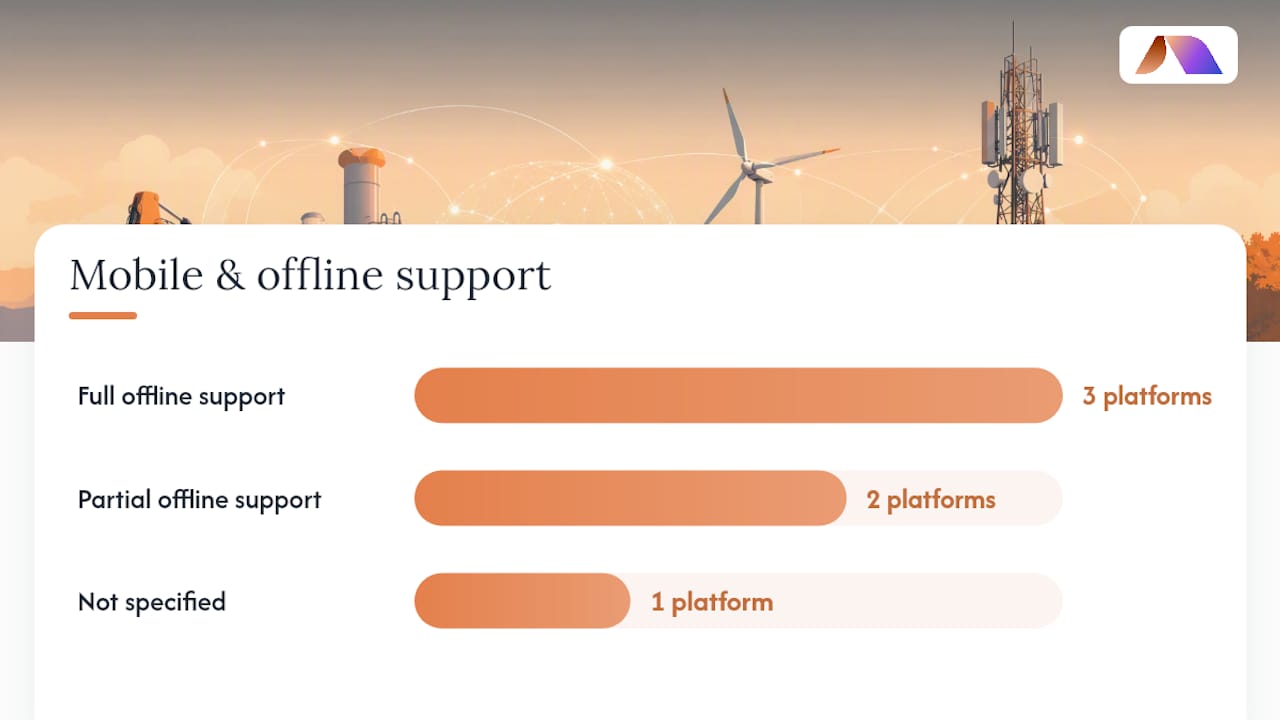
Platform | AI capabilities | Mobile & offline | IoT/sensor integration | Key integrations | Deployment timeline | Pricing band | Support & training |
|---|---|---|---|---|---|---|---|
BRDGIT | Custom agents, workflow automation, predictive dashboards | Yes / Yes | Custom IoT connectors | ERP, CMMS, IoT platforms, custom APIs | 2–6 weeks to pilot | Project + retainer | Fractional engineers, hands-on training |
Tractian | Anomaly detection, asset health telemetry, condition monitoring | Yes / Partial | Native sensor hardware | CMMS, ERP connectors | Weeks (hardware setup) | Subscription + hardware | Vendor support, onboarding |
UpKeep | AI work-order generation, smart scheduling, Nova assistant | Yes / Yes | IoT Edge module | ERP, EHS, Fleet, LMS, parts | Days to weeks | Subscription tiers | In-app, vendor CSM |
Fiix | Analytics, workflow automation, AI-assisted scheduling | Yes / Partial | Third-party IoT | ERP, API marketplace | Weeks | Subscription | Vendor support, documentation |
Limble | Mobile-first AI, PM automation | Yes / Yes | API-based IoT | ERP, parts, API | Days | Subscription tiers | In-app, vendor support |
eMaint | Voice-to-work-order, SOP generation, document AI | Yes / Partial | Sensor integrations | ERP, IoT, parts | Weeks to months | Enterprise subscription | Dedicated support, training |
FullyOps | Workflow automation, field ops orchestration | Yes / Yes | Configurable | API-based | Weeks | Subscription | Vendor support |
MaintainX | Checklist AI, lightweight work-order automation | Yes / Yes | Limited | ERP, parts, API | Days | Freemium to subscription | In-app, community |
IBM Maximo | Predictive analytics, enterprise AI, asset modeling | Partial / Partial | Deep IoT/OT integration | SAP, Oracle, enterprise ERP | Months | Enterprise license | IBM services, SI partners |
Fabrico | Asset-centric AI features | Yes / Partial | Asset monitoring | API-based | Weeks | Subscription | Vendor support |
Fracttal One | CBM support, cloud analytics, condition monitoring | Yes / Yes | Sensor integration | ERP, IoT, API | Weeks | Subscription | Vendor support, training |
Infraspeak | Mobile compliance workflows, facility AI | Yes / Yes | Facility sensors | ERP, facility systems | Weeks | Subscription | Vendor support |
What each category actually means for field crews
AI capabilities split into two practical tiers. Predictive and anomaly-detection AI requires historical sensor data and a model training period before it surfaces useful alerts. Prescriptive AI, which tells a technician what to do next, requires that the platform has ingested your SOPs, parts catalog, and failure history. Platforms that claim “AI” but only offer rule-based alerts are not in the same category.
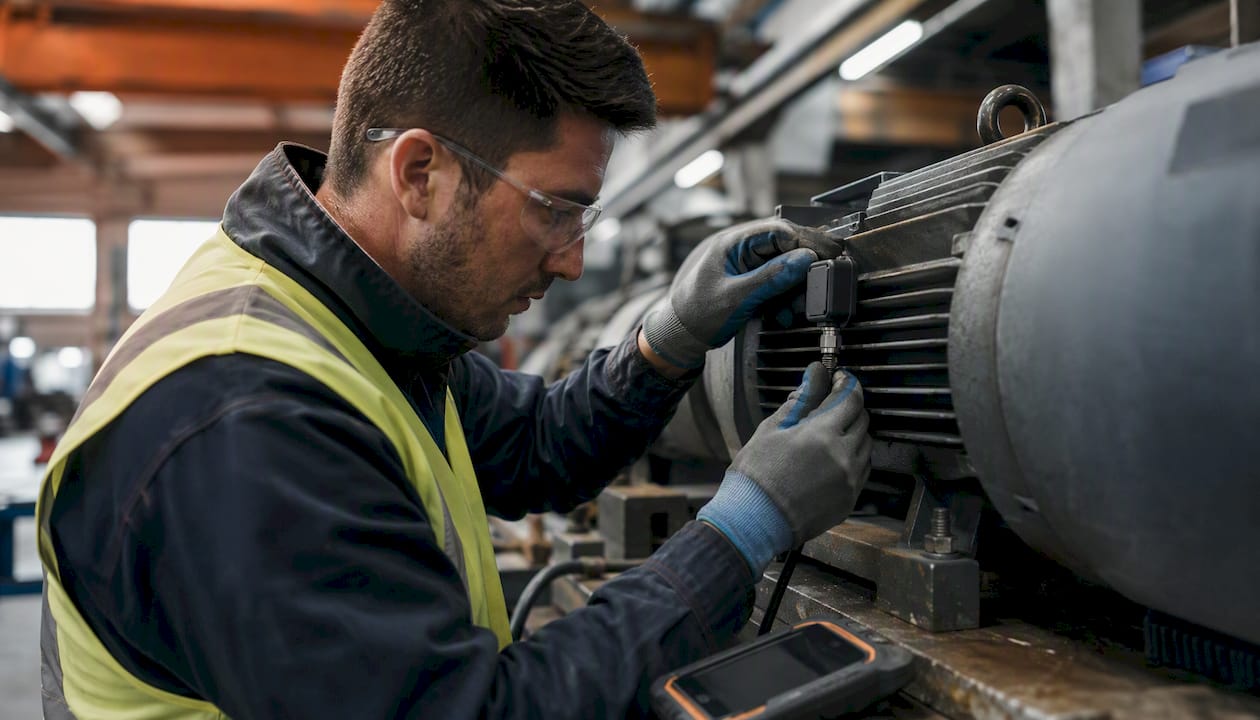
Mobile and offline is a binary that vendors blur. “Mobile-friendly” means a responsive web app. “Offline-first” means the technician can open a work order, capture photos, log readings, and sync when connectivity returns. For field crews in plants, remote sites, or underground facilities, the distinction is operational, not cosmetic.
Deployment timeline is where most procurement teams get surprised. A cloud CMMS can go live in days for basic work orders. Getting predictive AI to produce reliable alerts typically requires 30–90 days of clean sensor data, model calibration, and technician feedback loops. Plan for both phases.
The ROI case for AI maintenance platforms is generally thought to come from drivers like faster mean time to repair, higher planned-to-reactive maintenance ratios, and fewer unplanned escalations. AI-driven pilot designs that target these three metrics specifically tend to produce the clearest before-and-after evidence for budget holders.
Enterprise suites vs. mobile-first CMMS vs. specialist AI
Enterprise suites (IBM Maximo, eMaint): deep asset modeling, strong compliance, long deployment cycles, high configurability, and typically require SI partners or internal IT resources to stand up.
Mobile-first CMMS (UpKeep, Limble, MaintainX): fast onboarding, technician-friendly UX, lighter AI features, and better suited to teams that need adoption speed over analytical depth.
Specialist AI and custom implementations (BRDGIT, Tractian): purpose-built for specific AI outcomes. Tractian focuses on sensor-to-CMMS condition monitoring. BRDGIT builds custom agents and integrations around your existing systems, with fractional engineers who stay engaged through rollout.
What should you know about Tractian for field teams?
Tractian occupies a specific and well-defined niche: it combines its own sensor hardware with a CMMS layer, so the condition-monitoring data and the work-order system share a single data model. That integration removes the common gap between “the sensor flagged something” and “a work order was created.” For teams running rotating equipment in manufacturing or heavy industry, that closed loop is a genuine operational advantage.
Notable features and integrations to validate during a Tractian trial:
Sensor compatibility with your existing asset types (motor, pump, compressor, conveyor)
Mobile app behavior when connectivity is intermittent on the plant floor
Analytics dashboard granularity: can technicians see trend data, not just alerts?
ERP and parts-inventory connectors available in your region
Alert fatigue controls: how does the system filter noise from genuine anomalies?
Pros for field teams: Sensor-to-CMMS integration reduces manual data entry. Condition-based alerts give technicians advance warning rather than reactive dispatch. The platform is purpose-built for industrial asset health.
Cons to weigh: Hardware procurement adds lead time and upfront cost. The AI models need a calibration period before alerts are reliable. Teams without existing sensor infrastructure face a larger initial deployment scope.
Best for: Manufacturing and heavy-industry teams that prioritize continuous asset health telemetry and are willing to invest in sensor hardware for a closed-loop condition-monitoring system.
What should you know about UpKeep for field teams?
UpKeep describes itself as an AI-native CMMS with a broad customer base and a mobile-first product philosophy. Its embedded assistant, Nova, handles automatic work-order generation and smart scheduling. The broader platform extends into EHS, Fleet, IoT Edge, and an LMS module, which means a single vendor can cover several operational functions that maintenance teams often manage across separate tools.
Features and integrations to validate in an UpKeep pilot:
Offline sync behavior: test work-order creation and photo capture without connectivity
Nova AI: how does it handle ambiguous technician inputs and edge cases?
IoT Edge integration: what sensor types and protocols does it support?
ERP connectors: SAP, Oracle, or your specific ERP version
EHS and Fleet modules: are they included in your tier or priced separately?
Pros for field teams: Fast onboarding. Mobile UX is genuinely designed for technicians, not just admins. The multi-product ecosystem reduces vendor sprawl for growing operations teams.
Cons to weigh: AI features vary by pricing tier. Offline mode depth depends on the specific module. Teams that need deep asset modeling or complex IoT integration may find the platform’s ceiling lower than enterprise alternatives.
Best for: Mobile-first field teams that want a single vendor covering CMMS, safety, fleet, and learning, with AI features that grow with the platform tier.
What should you know about Fiix for field teams?
Fiix is a mature CMMS with a strong integration marketplace and analytics features that go beyond basic work-order tracking. It sits in the mid-market, which means it carries more configurability than lightweight tools like MaintainX but less enterprise complexity than IBM Maximo. Rockwell Automation’s ownership gives it credibility in manufacturing environments where OT integration matters.
Features and integrations to validate during a Fiix evaluation:
API availability and pre-built ERP connectors (SAP, Oracle, Microsoft Dynamics)
Analytics depth: can you build custom KPI dashboards without professional services?
AI-assisted scheduling: how does it handle multi-site PM planning?
Mobile app offline capability and technician UX on Android and iOS
Training resources: self-serve documentation vs. vendor-led onboarding
Pros for field teams: Established platform with a broad integration library. Analytics features support data-driven PM planning. Strong community and documentation reduce onboarding friction.
Cons to weigh: AI features are less prominent than purpose-built AI platforms. Offline mobile behavior warrants specific testing. Mid-market positioning means some enterprise-scale requirements may need workarounds.
Best for: Mid-market maintenance teams that need a proven CMMS with strong integrations and analytics, and are not yet prioritizing deep predictive AI.
What should you know about Limble for field teams?
Limble’s Capterra profile and G2 reviews consistently highlight one thing: technicians actually use it. That is not a trivial claim in a category where adoption failure is the most common reason AI maintenance projects stall. The mobile interface is designed for the person doing the work, not the person approving the budget.
Features and integrations to validate in a Limble pilot:
Mobile UX: run a live technician test on the actual device types your crew uses
Offline sync: confirm work-order access and data capture without connectivity
API availability for ERP and parts-inventory connections
PM automation rules: how complex can scheduling logic get before it requires professional services?
Reporting: can operations leaders pull the KPIs they need without custom development?
Pros for field teams: Fastest adoption curve in the category. Technician-first mobile design. Competitive pricing for smaller to mid-size teams. Strong user ratings on G2 and Capterra.
Cons to weigh: AI capabilities are lighter than sensor-focused or enterprise platforms. Teams with complex multi-site asset hierarchies may outgrow it. Deep IoT integration requires API work.
Best for: Smaller to mid-size maintenance teams that need fast technician adoption and simple, reliable mobile workflows without a long implementation project.
What does BRDGIT offer that packaged platforms do not?
BRDGIT is not a CMMS. It is a fractional AI engineering and implementation service that builds custom AI systems for maintenance operations, working alongside or on top of whatever CMMS or EAM you already run. That distinction matters when your operation has non-standard workflows, legacy systems, or integration requirements that no packaged platform covers out of the box.
Service offering:
AI readiness assessments that map your data, systems, and team capabilities before any build begins
Fractional AI engineers embedded in your operation for planning, delivery, and ongoing support
Custom AI agents that connect technician inputs, sensor data, work orders, and documentation
Workflow automation across existing CMMS, ERP, and IoT platforms
AI training for field technicians and operations leaders
Dashboard creation and exportable data pipelines
Engagement phases:
Assessment (1–2 weeks): Data inventory, integration mapping, technician workflow audit, and readiness scoring
Pilot build (2–4 weeks): Scoped AI agent or automation targeting one measurable outcome (e.g., work-order triage, PM scheduling, anomaly alert routing)
Roll-out (4–8 weeks): Technician training, shadow shifts, feedback loops, and adoption measurement
Fractional support (ongoing): Retained AI engineering capacity for iteration, new use cases, and governance
Trust signals: BRDGIT’s operational guides on reducing machine downtime with AI demonstrate the pilot design and KPI selection approach used across deployments. Proprietary client case studies are available on request through the engagement process.
Best for: Organizations that need custom AI integrations, have complex or legacy systems that packaged platforms cannot connect, want fractional AI expertise without a full-time hire, and need rapid pilot-to-scale support with technician adoption built in.
*Pro Tip: If a vendor cannot show you a pilot scope with defined success metrics in under 60 days, that may be a red flag. BRDGIT structures every engagement around a measurable pilot outcome before any scale commitment.
How do you choose the right AI maintenance platform for your field teams?
The selection process fails most often at two points: buying on features rather than fit, and skipping the pilot. Here is a practical checklist and the vendor questions that surface the answers that matter.
Priority checklist for procurement and operations leaders
Integrations first. Map every system the platform must connect to before you evaluate features. ERP, historian, parts catalog, IoT gateway, and existing CMMS are the common integration points. A platform with great AI but no clean path to your ERP creates a data silo.
Test offline mobile before you sign. Give a technician the mobile app in a low-connectivity area and run a full work-order cycle. If it breaks, the platform will not work in your field environment regardless of what the demo showed.
Demand AI model transparency. Ask the vendor where the predictive model was trained, on what asset types, and how it handles assets it has not seen before. “Our AI” is not an answer.
Confirm data ownership and export. You must be able to export your asset history, work-order data, and model training inputs. Platforms that resist this create long-term lock-in and raise total cost of ownership.
Evaluate training and change management. Ask specifically how the vendor supports technician onboarding, not just admin training. Training field teams on AI tools is where most deployments succeed or fail.
Understand the pricing model. Per-user, per-asset, and per-site pricing models produce very different total costs at scale. Model your actual user count and asset volume before comparing sticker prices.
Clarify post-deployment support. Who handles issues after go-live: the vendor’s support team, a system integrator, or your internal IT? What are the SLA terms?
Vendor questions to ask in demos and pilots
What data does the AI model need to produce reliable recommendations, and how long does calibration take?
Show us the offline mode: what is available without connectivity, and how does sync work on reconnection?
What happens when the AI produces a wrong recommendation? How does a technician flag it, and how does that feedback improve the model?
Can you show us a source citation for an AI-generated SOP or recommendation? Where did that answer come from?
What is your data export format, and how do we access it without vendor involvement?
Who owns the model weights and training data after the engagement ends?
Red flags to watch for
No offline mode, or offline mode that only covers read access
AI recommendations with no cited source or explainability layer
Vendor resists data export or requires a support ticket to access your own data
No defined onboarding plan for field technicians (only admin training)
Pilot scope is undefined or measured only by “go-live,” not by operational outcomes
Deployment timeline reference
Phase | Typical length | Key deliverables |
|---|---|---|
Vendor selection and pilot scoping | 2–4 weeks | Signed pilot scope, success metrics, integration map |
Pilot deployment | 4–8 weeks | Live AI feature, technician training, baseline KPI capture |
Pilot evaluation | 1–2 weeks | Before/after KPI comparison, adoption rate, go/no-go decision |
Platform-wide rollout | 8 weeks | Full asset coverage, ERP integration, governance documentation |
Time to sustained value | 3–6 months total | Measurable improvement in MTTR, PM compliance, or escalation rate |
Reviewing AI vendor management approaches before finalizing contract terms helps procurement teams avoid the most common lock-in clauses.
What does an AI-powered maintenance platform actually do for field teams?
The term “AI maintenance platform” covers a wide range of capabilities, and not all of them affect field crews equally. The distinction between time-based maintenance and condition-based maintenance is the clearest place to start: TBM schedules work at fixed intervals regardless of asset condition, while CBM uses live sensor signals to trigger work only when condition thresholds are crossed. CBM requires IoT integration and a different pilot design than TBM.
The core AI capabilities that actually change field-team workflows:
Predictive analytics: Models trained on historical failure data surface assets likely to fail before they do, shifting dispatch from reactive to planned.
Anomaly detection: Real-time sensor monitoring flags deviations from normal operating ranges, giving technicians advance notice rather than a breakdown call.
Prescriptive recommendations: The AI suggests the specific repair action, part, and SOP, not just the alert. This requires the platform to have ingested your documentation and parts catalog.
Natural language understanding: Voice-to-work-order and text-based fault reporting let technicians log issues in plain language, which the system converts to structured work orders. eMaint’s embedded AI suite demonstrates this with voice intake and SOP generation built directly into the CMMS workflow.
Image-based fault diagnosis: Photo capture at the asset, analyzed by AI, can surface fault patterns and suggest relevant repair procedures.
Prioritized daily routes: AI-optimized dispatch sequences technician routes by urgency, proximity, and parts availability, reducing windshield time.
AI augments maintenance technicians rather than replacing them. Skilled technicians remain essential to interpret AI recommendations and act on them in context, a point the LLumin analysis on AI and maintenance technicians makes clearly. The practical implication: platforms that put AI recommendations in the technician’s hands, rather than routing everything through a supervisor, tend to produce faster response times and higher adoption.
Pro Tip: Insist that any AI recommendation in the platform carries a source citation: which document, sensor reading, or historical failure pattern generated it. Platforms that cannot show provenance are harder to trust, harder to audit, and harder to improve over time.
What does AI readiness actually look like for a maintenance team?
Most maintenance teams are not starting from zero, but they are also not ready to deploy predictive AI on day one. The gap between “we have a CMMS” and “our AI is producing reliable recommendations” is almost always a data and process gap, not a technology gap. Here is how to close it systematically.
Phase 1: Assessment (weeks 1–2)
Inventory your asset data: what is in the CMMS, what is in spreadsheets, and what exists only in technician memory?
Map your integration points: ERP, historian, IoT gateways, parts catalog, and any existing sensor infrastructure.
Audit technician workflows: how are work orders currently created, assigned, and closed? Where does data quality break down?
Score your AI readiness: data completeness, integration feasibility, team capability, and change management capacity.
Phase 2: Pilot (weeks 3–10)
Select one high-value, measurable use case: PM scheduling optimization, anomaly alert routing, or voice-to-work-order intake.
Run an integration proof-of-concept: confirm the platform can read and write to your ERP and CMMS without manual intervention.
Deploy with a small technician cohort (5–15 people) and capture baseline KPIs before the pilot begins.
Run shadow shifts: pair technicians with the AI tool and observe where they trust it, where they override it, and why.
Document every override and feedback loop: this data trains the next model iteration.
Phase 3: Scale (weeks 11–24)
Expand to full asset coverage and all technician users.
Formalize governance: who owns the AI model, who reviews recommendations, and who approves changes to training data?
Establish a continuous improvement cadence: monthly KPI reviews, quarterly model retraining, and annual readiness reassessments.
Sample KPIs to track from day one of the pilot:
Mean time to repair (MTTR): target a measurable reduction from baseline
Work-order closure time: from creation to technician sign-off
PM compliance rate: percentage of planned maintenance completed on schedule
Technician adoption rate: percentage of assigned users actively logging in and using AI features weekly
Escalation rate: unplanned failures that required emergency dispatch
Change management for field teams is not optional. Training field technicians on AI tools requires designated trainer roles on each shift, not just a one-time onboarding session. Shadow shifts, where a trainer works alongside technicians during the first two weeks of live use, consistently produce higher adoption than self-serve documentation alone. Documentation practices matter too: technicians who understand that their feedback improves the AI tend to engage more carefully with override logging.
Proprietary client case studies from BRDGIT deployments are available on request and can be shared during the engagement scoping process.
What we have learned deploying AI for field maintenance teams
The lesson that surprises most operations leaders is not about the technology. It is about the data. Every deployment we have been part of at BRDGIT has surfaced the same early finding: the asset data in the CMMS is less complete and less consistent than anyone expected. Work orders are missing failure codes. PM records have gaps. Sensor data has unlabeled outages. The AI cannot learn from data that was never captured correctly, and no platform, however sophisticated, fixes a data quality problem it did not cause.
The second lesson is about technician trust. Field crews adopt AI tools when the recommendations are specific, sourced, and occasionally wrong in ways they can explain. Generic alerts with no context get ignored. An AI that says “vibration on pump P-204 exceeded 0.8 in/s for 3 consecutive hours, consistent with bearing wear, see SOP-47” gets acted on. The specificity is what builds trust, and trust is what drives adoption.
Three things maintenance leaders can apply immediately:
Start with data quality, not platform selection. Run a one-week data audit before you issue an RFP. You will ask better questions and avoid buying a platform your data cannot support.
Protect your data ownership from day one. Confirm export rights, API access, and model ownership in the contract before signing, not after go-live.
Measure adoption, not just model performance. A model that is 90% accurate but used by 20% of technicians delivers less value than a model that is 80% accurate and used by 90% of the team.
BRDGIT’s fractional AI engineering for maintenance teams
The platforms reviewed here are strong tools. But a tool without an implementation plan, clean data, and trained technicians is just software sitting on a server. That is the gap BRDGIT fills.
BRDGIT’s fractional AI engineers work inside your operation from assessment through rollout, building custom AI agents, connecting your existing systems, and training your field teams to use AI confidently in daily work. The engagement starts with a readiness assessment that maps your data, integration points, and team capacity, then moves into a scoped pilot with defined success metrics before any scale commitment. For organizations that need AI expertise without a full-time hire, the fractional model provides experienced engineers on a retainer that matches your actual pace of deployment. Book a readiness assessment or request a pilot scope at Brdgit.
Sources
Resources for designing pilots, evaluating integrations, and building your AI maintenance strategy:
Time-Based Maintenance vs. Condition-Based Maintenance



