


Published on
Slack Automation With AI for Teams: Copy 6 Workflows Before You Hire
Start with Slack Workflow Builder and Slack AI to automate the repetitive tasks eating your team’s day: status digests, intake forms, routine approvals. Reach for custom agents like Agentforce only when a task needs multiple autonomous decisions, not just one triggered action. Open Workflow Builder this week; if the task looks genuinely complex, a readiness assessment can help you decide which path saves more time than it costs.
TL;DR:
Business+ and Enterprise+ include AI workflow generation and expanded Slackbot features; lower tiers retain manual Workflow Builder, while admins can limit feature visibility.
Use per user authentication for connectors handling sensitive data, preapprove integrations, and test with sample records before publishing the workflow.
Start with a linear workflow with four steps, such as collecting form responses, generating an AI summary, posting it to Slack, and logging it externally.
Choose a custom agent when tasks need multiple autonomous decisions or exceed two or three conditional branches; high volume can also justify engineering and upkeep.
BRDGITFind the Right Path to AI AutomationBRDGIT helps teams identify AI opportunities, automate workflows, and build custom systems based on their needs.Explore AI automation support
Table of Contents
What Slack AI workflows are and where AI fits in Slack’s automation stack
The building blocks: triggers, steps, and conditional logic
Workflow templates teams can copy this week
Permissions and governance: keeping AI workflows safe
Setting up connector steps the right way
Native workflows versus custom agents: what actually changes
How we approach Slack AI automation projects
Get hands-on help building your Slack AI workflows
FAQ
Sources
What Slack AI workflows are and where AI fits in Slack’s automation stack
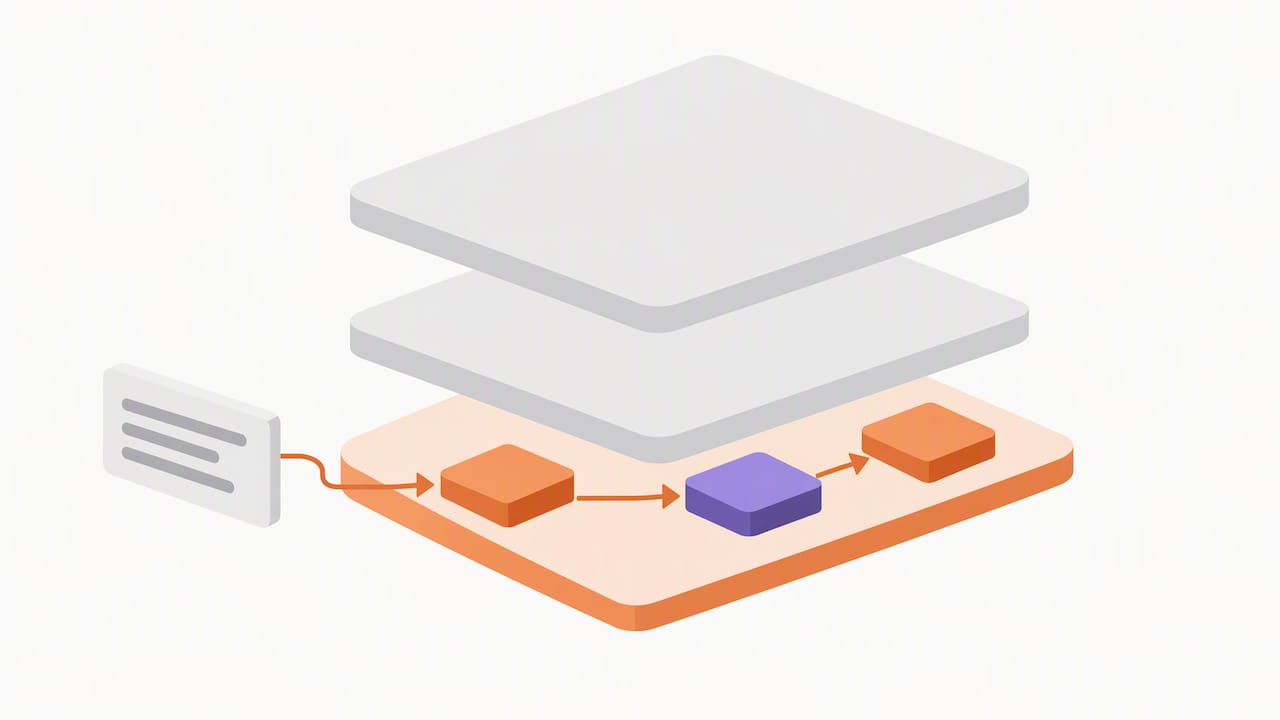
Slack’s automation stack has three layers, and confusing them is the single most common planning mistake we see in operations teams. Workflow Builder sits at the base: a no-code tool for chaining triggers to actions, now enhanced with AI-powered workflow generation that turns a single prompt into a working automation. Describe what you want in plain language and Workflow Builder drafts the steps for you, which cuts the build time for a routine automation from an afternoon to a few minutes.
Slackbot, the assistant most people already know, now does more than answer FAQs with features described in Communication Platform AI Integration Examples for Teams. It generates channel summaries, drafts replies, and condenses long documents or threads into a few lines. Inside a workflow, you can insert a Generate AI response step that performs similar summarization or drafting work automatically, without a human triggering it manually each time.
Full AI workflow generation and most Slackbot AI capabilities are gated to paid tiers:
Business+ and Enterprise+ plans include AI-powered workflow generation and expanded Slackbot features.
Lower tiers still support manual Workflow Builder automations, just without the prompt-to-workflow generation step.
Admins control which AI features are visible to which teams, independent of the base plan.
Native workflows are the right fit whenever the task is linear: a form comes in, a message goes out, a record gets updated. The moment a task needs judgment calls across multiple steps, you are in different territory, which we cover later.
The building blocks: triggers, steps, and conditional logic
Every Slack workflow is built from the same handful of parts, and understanding how they combine is more useful than memorizing any single template. A trigger starts the workflow: a shortcut someone clicks, a scheduled time, an incoming webhook, or a keyword typed in a channel. Shortcuts work well for on-demand requests like time-off forms; schedules suit recurring digests; webhooks fit automations started by an external system like a CRM; keyword triggers catch informal requests before they get lost in a channel.
Once triggered, a workflow runs through steps:
Native steps handle Slack-internal actions: sending a message, collecting form input, updating a channel topic.
A Generate AI response step summarizes, drafts, or classifies text using the information collected earlier in the workflow.
Connector steps reach outside Slack, into tools like Google Sheets, Jira, or a CRM.
Custom steps, built by a developer, handle logic too specific for the native library.
Conditional branches route the workflow differently depending on form answers or AI output, with Workflow Builder supporting multiple conditions per branch.
A minimal but genuinely useful sequence looks like this: a trigger opens a form, the form responses feed an AI summary step, the summary posts to a channel, and a connector step logs the whole exchange to a spreadsheet. That four-step pattern covers a surprising share of what teams actually ask for when they say they want “AI in Slack.”
Pro Tip: Build the simplest version of a workflow first, confirm it runs clean for a week, then layer in branching: debugging three conditions at once is far harder than debugging one.
Workflow templates teams can copy this week
Most Slack automation requests fall into a short list of recurring patterns. Here are the ones worth building first, each with its trigger, core steps, an owner, and what to expect from it.
Daily standup digest: scheduled trigger collects channel updates, an AI step condenses them into one summary, posted each morning; owned by a team lead; saves the five to ten minutes everyone used to spend scrolling threads.
Support ticket triage: keyword or webhook trigger catches an incoming request, an AI step classifies urgency and routes it, a connector step logs it to a helpdesk tool; owned by support ops; shortens first-response time.
New hire onboarding checklist: shortcut trigger on day one, native steps assign tasks and channels, an AI step drafts a welcome message personalized from the form input; owned by HR.
Approval requests: form trigger captures a purchase or time-off request, conditional branching routes it to the right approver, a connector step writes the decision to a tracking sheet; owned by finance or ops managers.
Meeting notes distribution: a connector step pulls notes from a meeting tool, an AI step summarizes action items, posts to the relevant channel; owned by whoever runs the meeting.
Lead intake routing: a webhook from a form tool triggers the workflow, an AI step scores the lead, a connector step pushes it into a CRM; owned by sales operations.
For the connector steps above, like routing a form into a CRM or spreadsheet, you will authenticate a third-party account once during setup, a step we walk through in detail further down.
One source worth noting: Slack’s own positioning is that placing AI directly inside the chat interface removes the friction of switching tools, which is a meaningful factor in whether a rollout actually gets adopted rather than ignored after week one.
Permissions and governance: keeping AI workflows safe
Handing every employee the ability to build and publish workflows sounds democratic until a poorly scoped automation starts posting to the wrong channel or leaking data through an over-permissioned connector. Admins can restrict who creates workflows at the workspace or organization level, and in most mid-sized companies, limiting that ability to a small group of owners or process leads is the right default rather than the exception.
Connector authentication deserves equally close attention. When you add a connector step, you choose whether it runs on the workflow creator’s connected account or requires each individual user to authenticate their own, and that choice has real security implications. Shared credentials are convenient but mean every action the workflow takes is attributed to one person, which gets messy fast in a sensitive context like finance approvals.
A short governance checklist covers most of what admins need before scaling AI workflows past a pilot:
Approve connectors individually rather than leaving the app directory wide open.
Require per-user authentication for any workflow touching sensitive or regulated data.
Restrict Workflow Builder use inside Slack Connect channels shared with external organizations.
Review audit logs periodically for unexpected workflow creation or connector use.
Pro Tip: Treat connector approval like vendor approval: a five-minute review before launch is far cheaper than untangling a misconfigured integration three months in.
Setting up connector steps the right way
Connector steps are where a Slack workflow stops being an internal checklist and starts talking to the rest of your software stack, so getting the authentication right the first time saves real rework later.
Open the workflow in Workflow Builder and add a step, then choose the connector for the external app, such as Google Sheets or a CRM.
Decide whose credentials the step will use: the creator’s connected account, or a per-user authentication prompt for anyone running the workflow.
Map the fields from earlier steps, form responses or AI-generated text, into the connector’s expected inputs.
Pre-approve the connector at the admin level if your workspace restricts which connectors members can use, so end users are not blocked mid-setup.
Run a test with sample data before publishing, and re-authenticate immediately if the connected account’s password or permissions change.
Disconnect any account cleanly through the connector’s settings rather than simply deleting the workflow, so the authorization does not linger unused.
A common first build is routing form responses into Google Sheets: a form trigger collects structured input, an AI step cleans or categorizes it, and the connector step appends a row. It is a small build, but it reliably replaces a manual copy-paste task that otherwise falls on someone’s afternoon every week.
Native workflows versus custom agents: what actually changes
The honest answer to “should we build a custom agent” is usually no, at least not yet. Native AI steps inside Workflow Builder handle single-turn tasks well: summarize this, draft that, route this one request. Agentic apps like Agentforce operate differently: they can take in conversational context, pull from connected enterprise data sources, and make a chain of decisions without a human re-triggering each step, which is a meaningfully different capability than a scripted sequence.
That extra capability comes with extra weight. Agentic apps typically require broader permission scopes, closer review of what enterprise data they can query, and an engineering process rather than a drag-and-drop configuration, since developer documentation treats them as a distinct build with their own state management and action-mapping requirements. No-code workflows ship in days; custom agents take real engineering time and ongoing maintenance, which only pays off once the automation handles enough volume or complexity to justify it.
Agentic automation is not a bigger workflow. It is a different kind of system, one that needs its own permission review and its own maintenance plan, not just a longer list of steps.
A short decision checklist helps most teams sort this quickly:
Volume: a handful of requests per week rarely justifies a custom build.
Complexity: if the task needs more than two or three conditional branches to describe, a native workflow is straining against its limits.
Data sensitivity: anything touching regulated or highly confidential data deserves a closer permissions review before any build starts.
Service expectations: if the automation needs guaranteed response times or audit trails, that points toward a custom, supported build rather than a self-service workflow.
When a team lands on the agentic side of that checklist, that is usually the point to bring in outside engineering judgment rather than guessing at scopes and architecture alone.
How we approach Slack AI automation projects
Our process with operations teams usually starts the same way: a short readiness assessment that separates the quick wins (digest automations, approval routing) from the projects that actually need custom engineering. We build a pilot workflow fast, in days rather than weeks, hand it off with documentation, and train the team that owns it so it does not depend on us to keep running. If a project turns out to need agentic behavior or deeper data integration, that becomes a clear next phase instead of scope creep inside a simple build. Teams that go through this process consistently find the gap between “automate this” and “automate this safely” closes faster than they expected.
Get hands-on help building your Slack AI workflows
Building the first few workflows yourself is often the right move, but once a task touches sensitive data, multiple departments, or agentic decisioning, having an experienced team in the room changes the outcome. Our AI Readiness Assessment identifies which of your repetitive Slack tasks are safe for a quick no-code build and which need more careful engineering, and our Workflow Crew service turns that assessment into working automations rather than a slide deck you file away.
For teams that need ongoing support rather than a one-time build, our Fractional Engineer Services and Custom Agent Build engagements provide experienced AI engineering help without a full-time hire.
AI Readiness Assessment: a structured review of which Slack tasks are ready to automate now.
Workflow Crew: hands-on build support for native Slack workflows and AI steps.
Custom Agent Build: engineering support for agentic automations that go beyond Workflow Builder.
Fractional Engineer Services: ongoing AI engineering support sized to your actual workload.
If a backlog of repetitive Slack tasks is sitting untouched because no one has time to build the automations, visit Brdgit to schedule a readiness assessment and get a concrete build plan instead of another list of ideas.
FAQ
What is the difference between Slack Workflow Builder and Slack AI?
Workflow Builder is the no-code tool for chaining triggers and steps into an automation, while Slack AI refers to the AI capabilities layered into that tool and into Slackbot, like summarization and prompt-to-workflow generation. You use Workflow Builder to assemble the automation and Slack AI features to handle the language-based steps inside it.
Which Slack plans include AI workflow features?
AI-powered workflow generation and expanded Slackbot features are available on Business+ and Enterprise+ plans. Lower-tier plans can still use Workflow Builder manually, just without the prompt-based generation step.
Can anyone in my workspace create a Slack workflow?
By default, members can often create workflows, but admins can restrict that ability to specific roles or owners at the workspace or organization level. Restricting creation to a small group is the common approach once a company moves past early experimentation.
When should we build a custom agent instead of a native workflow?
Move to a custom agent when a task needs multiple autonomous decisions rather than one triggered action, since agentic apps like Agentforce can reason across connected data and conversation context in ways native AI steps cannot. For most teams, that threshold is reached only after native workflows prove insufficient for a specific, high-volume, or high-sensitivity task.
How do I keep connector steps secure when automating with AI?
Choose per-user authentication rather than a shared account whenever a connector touches sensitive data, and have admins pre-approve which connectors are available workspace-wide. Reviewing app permission scopes before installation adds another layer of protection against overbroad data access.



