

How to Pick Your First Back-Office Workflow to Automate
How to Pick Your First Back-Office Workflow to Automate
BRDGIT
Published on
5
min read
News
AI Strategy
SMB AI
The reason most AI projects fail is not the technology. It is the order of operations. Companies pick the workflow they want to automate before they pick the workflow that is actually bleeding hours. By the time the pilot ships, the ROI is invisible because the wrong workflow was on the table.
This post is for the CEO, COO, or CFO who has not yet started automating anything and wants the first move to be the right one.
Why back-office, not sales and marketing
MIT's NANDA study tracked where corporate AI budgets are going and where the returns are coming from. The two columns do not match. Most companies put their AI budget into sales and marketing pilots. The highest returns are coming from back-office automation, where the system replaces outsourcing contracts, external agencies, and manual processing time.
That is the gap. Operations, finance, HR, and procurement are where the hours are. They are also where the work is repetitive enough that automation can clear the accuracy bar.
PepsiCo is the case study being passed around right now. One platform. A hundred use cases. Clear ownership. Every other company in the study had more vendors than owners.
The 20-minute exercise
Run this with your COO, CFO, or head of operations in the room. Give it 20 minutes. Be honest in the answers. The point is not to feel good about how modern your company is. The point is to see where the hours are actually going.
Open ChatGPT, Claude, or any chat tool. Paste this prompt.
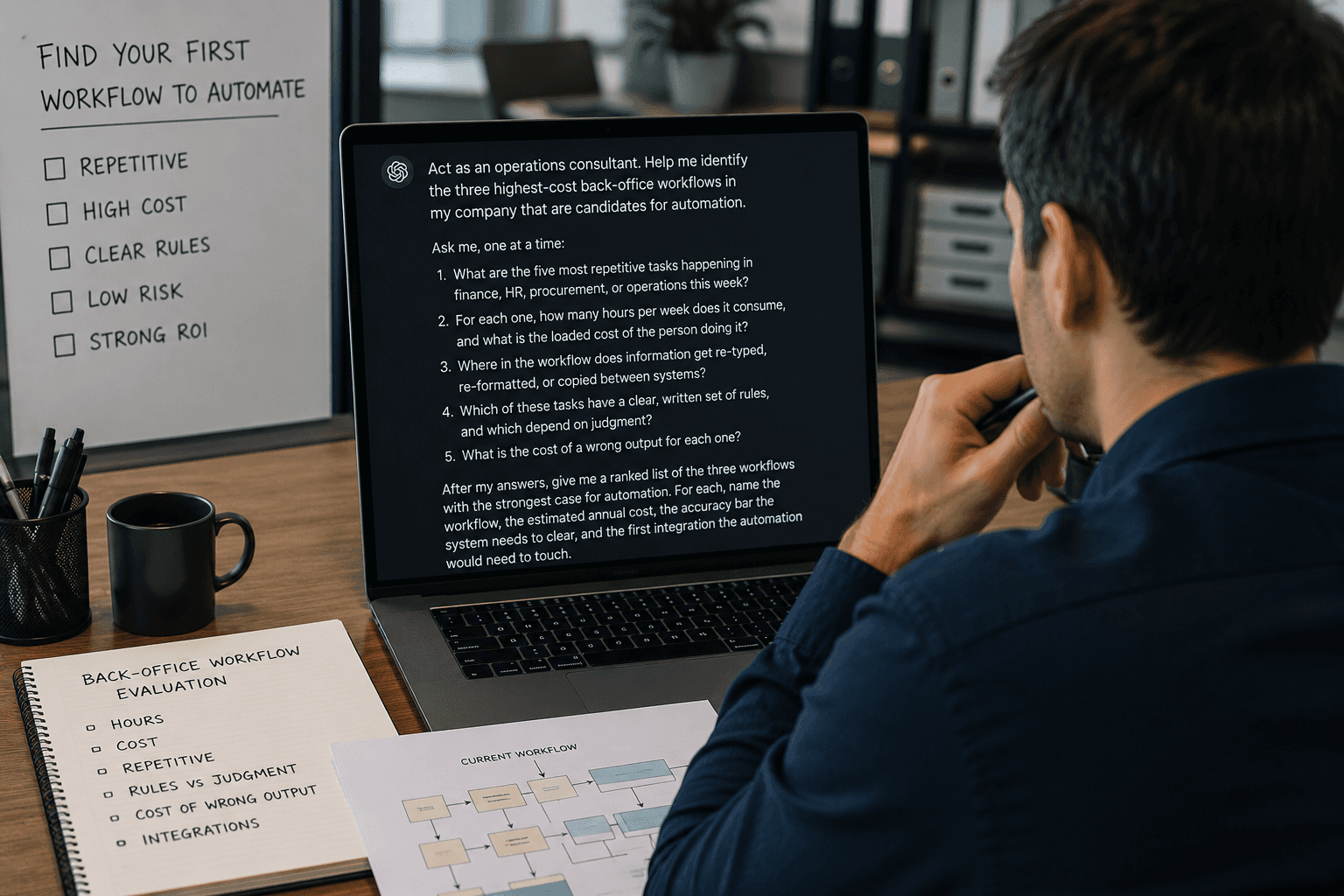
Act as an operations consultant. Help me identify the three highest-cost back-office workflows in my company that are candidates for automation.
Ask me, one at a time:
What are the five most repetitive tasks happening in finance, HR, procurement, or operations this week?
For each one, how many hours per week does it consume, and what is the loaded cost of the person doing it?
Where in the workflow does information get re-typed, re-formatted, or copied between systems?
Which of these tasks have a clear, written set of rules, and which depend on judgment?
What is the cost of a wrong output for each one?
After my answers, give me a ranked list of the three workflows with the strongest case for automation. For each, name the workflow, the estimated annual cost, the accuracy bar the system needs to clear, and the first integration the automation would need to touch.
The output is a shortlist. Not a project plan.
How to read the output
The chat tool will give you three workflows. Read them with three questions in mind.
Is the work repetitive enough? Automation works when the same pattern repeats. If the top workflow on the list still requires judgment on every case, it is a poor first candidate. Move to the second one.
Is the accuracy bar achievable? Every workflow has a cost-of-being-wrong number. A wrong internal email costs almost nothing. A wrong invoice, a wrong customer commitment, a wrong inventory order costs real money. The system has to clear that bar before it goes live.
Where is the first integration? Automation lives or dies at the handoff. The first system the automation has to touch tells you how complex the build is going to be. A workflow that touches one system is a starting point. A workflow that touches six is a Phase 2 project.
What the prompt does not do
The prompt finds the candidates. It does not tell you whether the workflow around the automation can actually hold up. That is a scoping question, and it sits one step deeper.
A workflow review asks three things the prompt cannot:
Where are the handoffs in the current workflow, and who owns them?
What systems does the workflow touch, and where are the dependencies?
What business context is sitting inside someone's head that the automation will need to know?
If those three things are not visible, the automation will not hold up. The model is rarely the part that fails.
The next move
If the shortlist is clear, the next step is to scope the top workflow. That means a workflow review, a systems check, and a business context definition before any tool is named. The goal is to know, before you build, whether the conditions around the workflow can support the automation.
If the shortlist is still fuzzy, the next step is to tighten the picture before committing budget. An assessment will surface where the operating conditions are not yet ready.
Either way, the order is the same. Find the workflow. Scope it. Then build.
Take the AI Readiness Assessment and Talk to a BRDGIT AI specialist
The reason most AI projects fail is not the technology. It is the order of operations. Companies pick the workflow they want to automate before they pick the workflow that is actually bleeding hours. By the time the pilot ships, the ROI is invisible because the wrong workflow was on the table.
This post is for the CEO, COO, or CFO who has not yet started automating anything and wants the first move to be the right one.
Why back-office, not sales and marketing
MIT's NANDA study tracked where corporate AI budgets are going and where the returns are coming from. The two columns do not match. Most companies put their AI budget into sales and marketing pilots. The highest returns are coming from back-office automation, where the system replaces outsourcing contracts, external agencies, and manual processing time.
That is the gap. Operations, finance, HR, and procurement are where the hours are. They are also where the work is repetitive enough that automation can clear the accuracy bar.
PepsiCo is the case study being passed around right now. One platform. A hundred use cases. Clear ownership. Every other company in the study had more vendors than owners.
The 20-minute exercise
Run this with your COO, CFO, or head of operations in the room. Give it 20 minutes. Be honest in the answers. The point is not to feel good about how modern your company is. The point is to see where the hours are actually going.
Open ChatGPT, Claude, or any chat tool. Paste this prompt.
Act as an operations consultant. Help me identify the three highest-cost back-office workflows in my company that are candidates for automation.
Ask me, one at a time:
What are the five most repetitive tasks happening in finance, HR, procurement, or operations this week?
For each one, how many hours per week does it consume, and what is the loaded cost of the person doing it?
Where in the workflow does information get re-typed, re-formatted, or copied between systems?
Which of these tasks have a clear, written set of rules, and which depend on judgment?
What is the cost of a wrong output for each one?
After my answers, give me a ranked list of the three workflows with the strongest case for automation. For each, name the workflow, the estimated annual cost, the accuracy bar the system needs to clear, and the first integration the automation would need to touch.
The output is a shortlist. Not a project plan.
How to read the output
The chat tool will give you three workflows. Read them with three questions in mind.
Is the work repetitive enough? Automation works when the same pattern repeats. If the top workflow on the list still requires judgment on every case, it is a poor first candidate. Move to the second one.
Is the accuracy bar achievable? Every workflow has a cost-of-being-wrong number. A wrong internal email costs almost nothing. A wrong invoice, a wrong customer commitment, a wrong inventory order costs real money. The system has to clear that bar before it goes live.
Where is the first integration? Automation lives or dies at the handoff. The first system the automation has to touch tells you how complex the build is going to be. A workflow that touches one system is a starting point. A workflow that touches six is a Phase 2 project.
What the prompt does not do
The prompt finds the candidates. It does not tell you whether the workflow around the automation can actually hold up. That is a scoping question, and it sits one step deeper.
A workflow review asks three things the prompt cannot:
Where are the handoffs in the current workflow, and who owns them?
What systems does the workflow touch, and where are the dependencies?
What business context is sitting inside someone's head that the automation will need to know?
If those three things are not visible, the automation will not hold up. The model is rarely the part that fails.
The next move
If the shortlist is clear, the next step is to scope the top workflow. That means a workflow review, a systems check, and a business context definition before any tool is named. The goal is to know, before you build, whether the conditions around the workflow can support the automation.
If the shortlist is still fuzzy, the next step is to tighten the picture before committing budget. An assessment will surface where the operating conditions are not yet ready.
Either way, the order is the same. Find the workflow. Scope it. Then build.
Take the AI Readiness Assessment and Talk to a BRDGIT AI specialist
More Articles

5
min read
AI Can Now Use Your Computer Like a Human. Here's What That Means for Your Work
The latest AI breakthrough isn't about chatting or generating images. It's about AI that can click buttons, fill forms, and navigate software just like you do. This changes everything about how small businesses can compete.
Complexity

5
min read
Your AI Project Is Probably Measuring the Wrong Thing
Most businesses track AI success by looking at accuracy rates and response times. But the companies actually winning with AI are measuring something completely different: how much friction they remove from daily work.
Complexity

5
min read
Your AI Is Making Things Up. Here's How to Tell When to Trust It
Every business using AI faces the same uncomfortable truth: sometimes your AI assistant confidently delivers complete fiction. Understanding when to trust AI and when to verify isn't optional anymore; it's the difference between leveraging AI successfully and creating expensive mistakes.
Complexity
5
min read
AI Can Now Use Your Computer Like a Human. Here's What That Means for Your Work
The latest AI breakthrough isn't about chatting or generating images. It's about AI that can click buttons, fill forms, and navigate software just like you do. This changes everything about how small businesses can compete.
Complexity
5
min read
Your AI Project Is Probably Measuring the Wrong Thing
Most businesses track AI success by looking at accuracy rates and response times. But the companies actually winning with AI are measuring something completely different: how much friction they remove from daily work.
Complexity
5
min read
Your AI Is Making Things Up. Here's How to Tell When to Trust It
Every business using AI faces the same uncomfortable truth: sometimes your AI assistant confidently delivers complete fiction. Understanding when to trust AI and when to verify isn't optional anymore; it's the difference between leveraging AI successfully and creating expensive mistakes.
Complexity

Built for all sizes of teams, our modular AI tools help you scale fast without the fluff. Real outcomes. No hype.
Legal
Terms & Conditions
© 2025. All rights reserved
Privacy Policy
Built for all sizes of teams, our modular AI tools help you scale fast without the fluff. Real outcomes. No hype.
Legal
Terms & Conditions
Privacy Policy
Terms & Conditions
Code of Conduct
© 2025. All rights reserved