

Published on
Field Service Dispatch Automation: A Pilot Can Cut Miles in Weeks
Dispatch automation assigns the right technician, optimizes routes in real time, and cuts the driving that eats into billable hours. A well-run pilot typically shows fewer miles per job and faster response within the first few weeks. Success looks like a measurable drop in travel time per job alongside steadier on-time rates, not a complete overhaul of how your team works.
TL;DR:
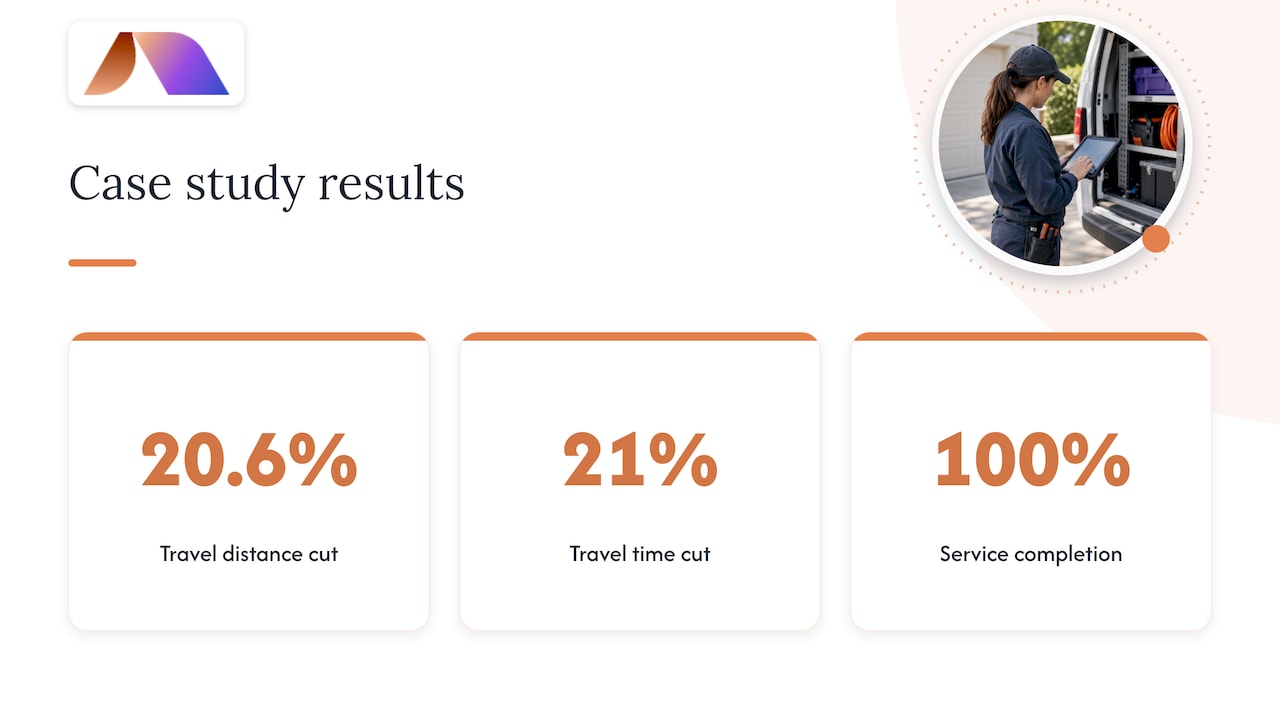
A real Schneider Electric case study using hybrid optimization reduced travel distance by about 20.6% and travel time by 21%, while maintaining 100% service completion.
Choose one team or service area, track three to five KPIs, and compare results with technicians still using manual dispatch as a control group.
Verify geocoded addresses, job durations, technician credentials, and parts records before launch; poor inputs can undermine sophisticated routing more than simple rules.
Fixed rule systems suit smaller operations with predictable jobs; custom optimization makes sense only after clean historical data reveals gaps in standard tools.
Before connecting customer and operational systems, request the vendor’s SOC 2 report and confirm live location, inventory, and job data can sync reliably.
BRDGITTurn Dispatch Ideas Into AI ExecutionBRDGIT helps field service teams assess AI readiness, identify automation opportunities, and build practical roadmaps for implementation.Explore BRDGIT AI support
Table of Contents
What field service dispatch automation is and when to adopt it
Core features to expect from dispatch automation
How to implement automated dispatch: a phased playbook
How real-time reoptimization works and the measurable benefits
Measuring success: KPIs and how to calculate ROI from dispatch automation
Integrations and data requirements that make automation reliable
Perspective: our short, practical take on delivery and common pitfalls
Developing an AI strategy and roadmap specifically for field service dispatch automation
Custom AI model building and training for tailored dispatch automation solutions
Ongoing monitoring, maintenance, and managed AI support to continuously improve dispatch automation performance
Our editorial take on what actually drives results
How BRDGIT can help you get started
FAQ
Sources
What field service dispatch automation is and when to adopt it
Dispatch automation replaces manual scheduling boards and gut-feel routing with software that assigns jobs, builds routes, and pushes live updates to technicians and customers. At its core, it combines three functions: scheduling logic that matches open jobs to available techs, assignment rules that factor in skills and location, and route optimization that sequences stops to minimize drive time.
Two levels exist. Rules-based systems apply fixed logic, such as “nearest available tech with the right certification,” and work well for smaller operations with predictable job types. Optimization and AI-enabled systems solve for multiple variables at once, including traffic, service windows, and technician workload, and they adjust continuously as conditions change. Growing operations tend to need the second type sooner than they expect.
The signals that it is time to move are consistent across the industry: dispatchers spending hours on manual scheduling, travel costs climbing faster than job volume, and service-level agreement misses becoming routine rather than occasional. If your planner is the bottleneck, or your trucks are driving more than they are working, automation addresses both at once.
Core features to expect from dispatch automation
Vendor feature lists can blur together, so it helps to think about what each capability actually changes for your dispatchers and technicians day to day.
Automated scheduling and skill-based matching assigns jobs based on technician certifications, equipment, and proximity, removing the guesswork from manual boards.
Route optimization and dynamic rerouting sequences stops to cut drive time and adjusts automatically when a job runs long or traffic shifts.
ETA predictions give dispatchers and customers a realistic window instead of a static appointment block.
Mobile app functionality lets technicians work offline, capture signatures, and scan parts in the field without returning to a truck or office.
Real-time status and location tracking shows dispatchers exactly where every technician stands, which shortens the time needed to handle urgent jobs.
Configurable business rules let you encode your own priorities, such as which customers get first response or which job types require two technicians.
Mobile capability deserves particular weight here. Field service customers and technicians show a strong preference for mobile access to service information, which means a dispatch system that performs well on a desktop but poorly in the field will struggle with adoption regardless of how sophisticated its routing engine is.
How to implement automated dispatch: a phased playbook
Rolling out dispatch automation works best as a sequence of small, verifiable steps rather than a single cutover.
Clean your data first. Verify addresses and geocoding accuracy, document technician skills and certifications, confirm average job durations, and check parts inventory records.
Design a narrow pilot. Pick one service area or one team, define three to five KPIs, and set a validation window of four to eight weeks.
Tune the rules. Start with conservative assignment logic, then loosen constraints as the system proves itself against real jobs.
Train dispatchers and technicians together. Dispatchers need to trust the system’s suggestions before they stop overriding them, and technicians need the mobile app to feel faster than paper, not slower.
Monitor daily during the pilot, then expand incrementally to additional teams or regions once KPIs hold steady.
Keep a rollback plan. Know exactly how to revert to manual dispatch for a given team if the pilot underperforms, so the test carries low operational risk.
Pro Tip: Run the pilot against a control group of technicians still on manual dispatch so you can compare travel time and completion rates with a real baseline, not last quarter’s average.
Change management often determines outcomes more than the software itself. Dispatchers who feel replaced rather than supported will quietly route around the system, so framing the rollout as reducing their administrative burden tends to land better than framing it as an efficiency mandate.
How real-time reoptimization works and the measurable benefits
Reoptimization starts with a baseline route plan, then applies incremental updates as new information arrives, a late job, a traffic delay, a technician running ahead of schedule, without rebuilding the entire schedule from scratch. Most systems pair a baseline optimization model with a faster insertion heuristic that slots changes into the existing plan, trading some mathematical optimality for speed.
A dissertation studying a hybrid MILP-plus-heuristic approach on real Schneider Electric data found that this method cut travel distance by about 20.6% and travel time by about 21%, while keeping service completion at 100% in the case study. That gives operations leaders a realistic benchmark rather than a vendor promise.
Reoptimization should run whenever conditions materially change, an urgent job comes in, a technician reports a delay, or live traffic data shifts significantly, but running it too frequently adds computational overhead without meaningful benefit. Most systems balance this by triggering reoptimization on specific events rather than continuously.
Measuring success: KPIs and how to calculate ROI from dispatch automation
A pilot only proves its value if you track the right numbers from day one.
Travel time per job and jobs completed per technician per day show whether routing improvements are translating into capacity.
On-time rate and first-time fix rate reflect whether faster scheduling is coming at the cost of service quality.
Scheduler hours saved captures the administrative burden the system is lifting off your dispatch team.
To estimate savings, multiply scheduler hours saved by the fully loaded hourly wage, then add reduced fuel and vehicle maintenance costs from shorter routes. Fuel and fleet expenses represent a meaningful share of field-service operating costs, so even modest routing gains compound over a full fleet. A simple ROI formula: (labor savings + fuel savings + incremental revenue from added jobs) divided by implementation cost. Track these fields daily during your pilot window to catch problems early.
Integrations and data requirements that make automation reliable
Dispatch automation is only as good as the data feeding it. Essential integrations include telematics or fleet tracking for live vehicle location, inventory and parts systems so technicians are not dispatched without the right stock, CRM or ERP platforms for customer and job history, calendar and booking tools for appointment windows, and GPS or traffic APIs for route calculation.
The data fields that matter most are accurate geocoded addresses, realistic service time windows, current technician skill records, parts availability, and live technician status telemetry. Integration readiness, not algorithm sophistication, tends to determine whether a pilot succeeds. Webhooks work well for event-driven updates like a job status change, while REST syncs suit master data like customer records that update less frequently.
Before connecting any vendor to operational and customer data, check for a SOC 2 report, a recognized assurance signal that the vendor has controls in place for handling your data responsibly.
Perspective: our short, practical take on delivery and common pitfalls
We think about dispatch automation the way we think about most AI-enabled operations work: start small, measure honestly, and scale what actually works. Our approach typically runs from an assessment through a focused pilot, with technical support available when a team needs ongoing assistance rather than a one-time build.
We recommend a lightweight pilot when data quality is uncertain or when a team has never tracked travel time formally. We recommend a fuller optimization build when the basics are already measured and the next gain requires real route-solving logic rather than better scheduling habits.
Developing an AI strategy and roadmap specifically for field service dispatch automation
A roadmap for dispatch automation should start with the problem, not the technology. Before selecting a platform, document where travel time, scheduling delays, or SLA misses are actually costing money, then size the opportunity in hours or dollars so the project has a clear target.
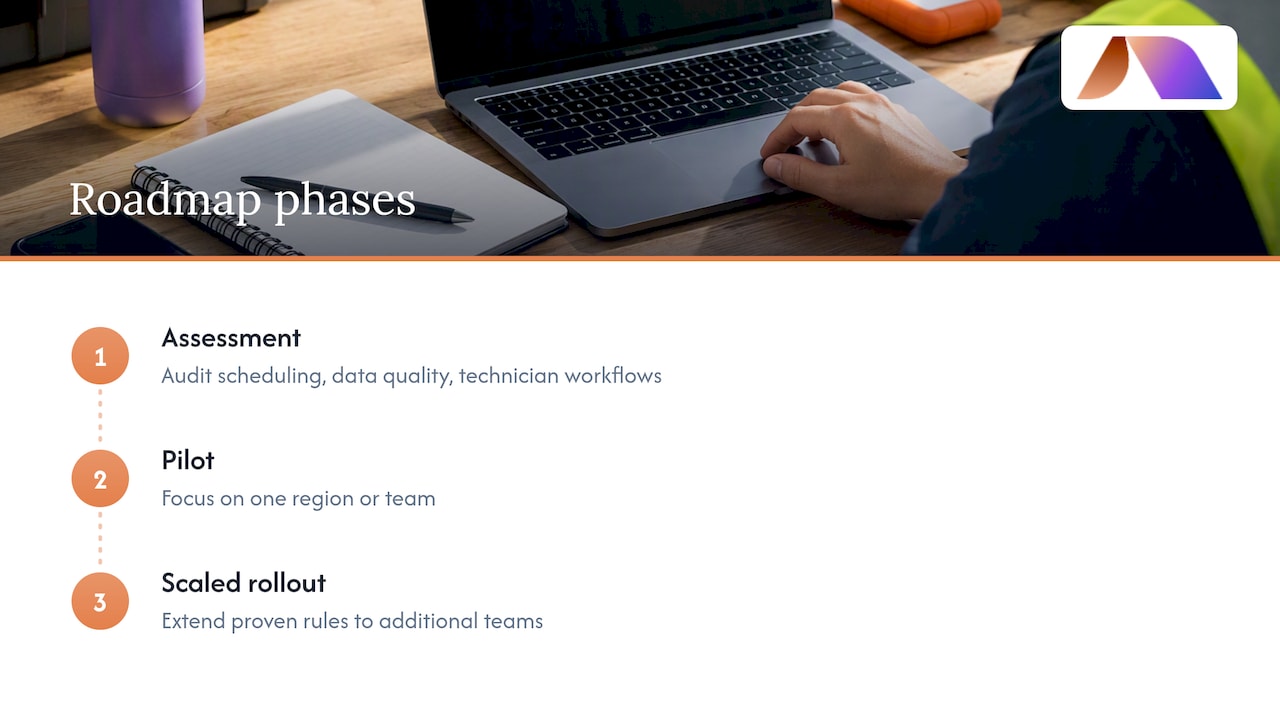
A practical roadmap typically has three phases. The first is assessment: auditing current scheduling practices, data quality, and technician workflows to understand what automation can realistically improve. The second is a pilot phase focused on one region or team, with explicit KPIs and a defined validation window, as outlined earlier in this guide. The third is scaled rollout, where proven rules and routing logic extend to additional teams, often alongside deeper integrations with telematics or inventory systems.
Strategy work also means deciding build versus buy early. Off-the-shelf dispatch platforms cover most rules-based and standard optimization needs, but operations with unusual constraints, multi-day jobs, specialized equipment dependencies, or regulatory service windows, may need custom logic layered on top. A roadmap should name these constraints explicitly rather than discovering them mid-implementation.
Governance matters too. Someone needs to own the rules as they evolve, decide when reoptimization thresholds need adjusting, and review KPI dashboards on a set cadence. Without a named owner, automation projects tend to drift back toward manual overrides within a few months, which erodes the gains a pilot worked to prove.
Custom AI model building and training for tailored dispatch automation solutions
Off-the-shelf dispatch tools handle common scenarios well, but operations with unusual job types, specialized technician certifications, or multi-step service workflows often hit the limits of generic rule engines. That is where custom model building comes in: training optimization logic on your actual historical job data rather than relying on generic assumptions about travel patterns and service times.
Building a tailored model starts with historical data, past job durations, actual routes taken, technician performance by job type, and seasonal demand patterns. This data trains the assignment and routing logic to reflect how your business actually operates rather than industry averages that may not fit your service area or customer mix.
Training is iterative. An initial model runs alongside existing dispatch processes so its recommendations can be checked against real outcomes before it takes over decision-making. This parallel run catches edge cases, a job type that always runs longer than estimated, a region where traffic patterns defy standard routing logic, before they become costly mistakes in production.
Custom models also need maintenance as conditions change. A model trained on last year’s technician roster and service area will drift as the business grows, new technicians join, or service territories expand. Periodic retraining keeps the system’s assumptions aligned with current operations rather than a snapshot from months earlier.
For most small and mid-sized field service operations, a fully custom model is not the starting point. It becomes worthwhile once a rules-based or standard optimization system has been running long enough to reveal where generic logic falls short, and once there is enough clean historical data to train something more tailored.
Ongoing monitoring, maintenance, and managed AI support to continuously improve dispatch automation performance
Dispatch automation is not a project with an end date. Routing logic that works well at launch can degrade as technician rosters change, service areas expand, or traffic patterns shift with new construction or seasonal demand. Ongoing monitoring catches this drift before it shows up as missed SLAs or rising travel costs.
A basic monitoring routine tracks the same KPIs established during the pilot, travel time per job, on-time rate, scheduler hours saved, on a recurring cadence rather than only during the initial rollout. Dashboards that flag deviations from baseline performance let dispatch managers intervene before small inefficiencies compound into systemic ones.
Maintenance also means revisiting business rules periodically. A rule that made sense when the business had five technicians may need adjusting at twenty. Integration points need occasional checks too: a telematics feed that silently stops updating, or a parts inventory sync that falls out of date, can quietly undermine routing accuracy without an obvious failure point.
For teams without a dedicated technical staff to own this ongoing work, managed support fills the gap. Rather than hiring a full-time specialist, many operations bring in fractional technical support to monitor system performance, retrain models as needed, and handle integration maintenance on an as-needed basis. This keeps the system tuned without the overhead of a permanent hire, which matters most for operations where dispatch automation is one priority among many rather than a dedicated function.
Our editorial take on what actually drives results
The conventional pitch around dispatch automation leans heavily on the software itself, as if installing the right platform automatically produces the mileage and SLA gains vendors advertise. Our view, based on how these projects actually play out, is that data quality and change management explain most of the variance between a pilot that works and one that quietly fails.
We have seen the same pattern across automation projects broadly: the algorithm is rarely the constraint. Bad geocodes, outdated skill records, and dispatchers who route around the system can undermine even strong optimization logic. The reverse is also true. A conservative rules-based system running on clean data will often outperform a sophisticated optimization engine fed bad inputs.
If you take one thing from this guide, prioritize data accuracy and a narrow, honestly measured pilot before investing in the most advanced routing engine available. The sequencing matters more than the sophistication.
— Team BRDGIT
How BRDGIT can help you get started
We built our approach around the gap most field service teams face: knowing dispatch automation could help, but not having a clear path from curiosity to a working pilot. Our AI Readiness Assessment evaluates your current data, workflows, and systems to tell you honestly whether you are ready to automate or need groundwork first. From there, our Workflow Crew and Custom Agent Build services turn that assessment into a working pilot built around your actual job data, not generic assumptions.
AI Readiness Assessment evaluates your data quality, technician workflows, and integration points before you commit to a build.
Workflow Crew and Custom Agent Build turn findings into a working pilot tailored to your service area and job types.
Fractional Engineer Services provide ongoing technical support for monitoring, retraining, and scaling once your pilot proves out.
Visit our service overview to start with a readiness conversation, or explore fractional engineering support if you already know you need ongoing technical help after launch.
FAQ
What is field service dispatch automation?
Field service dispatch automation is software that assigns technicians to jobs, optimizes their routes, and tracks status in real time, replacing manual scheduling boards. It typically combines scheduling rules, route optimization, and mobile tools for technicians in the field.
How long does a dispatch automation pilot usually take?
Small pilots focused on basic appointment and scheduling automation can run on a 4 to 8 week timeline for owner-led operations, giving teams a fast way to validate results before a larger rollout. More complex route optimization pilots may need a longer validation window depending on data readiness.
How much travel time can dispatch automation actually save?
Research studying a hybrid optimization approach on real field service data found travel distance reduced by about 20.6% and travel time by about 21%, while maintaining full service completion in that case study. Results vary by starting route efficiency and data quality.
What data do I need before starting automation?
You need accurate geocoded addresses, documented technician skills and certifications, realistic average job durations, and current parts inventory records. Clean data matters more to pilot success than the sophistication of the routing algorithm itself.
Should I check for security certifications before choosing a dispatch tool?
Yes, requesting a SOC 2 report is a standard way to confirm a vendor has controls in place for handling your operational and customer data. This matters particularly once you connect telematics, CRM, or inventory systems to the dispatch platform.



