


Published on
Customer Service AI Automation: Pilots with NIST for Decision Makers
Customer service AI automation reduces handle time and scales routine work when deployed correctly, and the fastest path to value starts with a targeted pilot: automate high-volume, low-complexity requests first, and pair the system with human oversight. Done this way, we see faster response, lower cost per contact, and better agent output within a measurable window. Done carelessly, it creates new operational risk instead of removing old friction.
TL;DR:
Automating high-volume, low-complexity requests with AI customers improves response speed, reduces costs, and boosts agent productivity, but requires careful planning.
Starting with ticket triage, response generation, or knowledge base automation creates reliable gains, provided handoffs and grounding in actual policies are well designed.
Pilots must focus on narrow use cases, ensure data readiness, and establish clear success metrics within a four to eight-week window to avoid hidden failure.
Governance must include policies, red-teaming, data provenance, and vendor assessments to prevent operational and reputational risks as automation scales.
Human oversight should be proactive, especially for escalations, with segmentation for emotional versus technical issues to preserve quality and customer satisfaction.
BRDGITbrdgit.aiPlan Your AI Automation PilotBRDGIT helps teams identify practical AI opportunities, build clear roadmaps, automate workflows, and support implementation with experienced AI expertise.Explore AI implementation
Table of Contents
Why customer service AI automation matters to your bottom line
Core automation patterns and use cases to start with
A step-by-step roadmap: identify, pilot, measure, scale
Governance, risk management, and vendor due diligence
Human-in-the-loop design: where supervision actually earns its keep
Measuring success: KPIs, experiment design, and timelines
Evaluating tools and vendors without the sales pitch
How BRDGIT runs pilots and supports teams
Four rollout mistakes we see repeatedly
Ready to scope your first AI automation pilot?
FAQ
Sources
Why customer service AI automation matters to your bottom line
The business case rests on four changes that compound. Response times drop because routine requests get answered without waiting for a queue. Resolution speeds up because agents stop digging through old tickets for context. Support becomes available around the clock without adding headcount. Cost per contact falls because fewer human minutes go into repetitive work.
Agents benefit directly too. Suggested replies cut drafting time, auto-generated summaries save the wrap-up work after each call, and QA assistance flags tone or policy issues before a ticket closes. A field experiment on Alibaba’s customer service operations found that generative AI assistants improved speed and subjective service quality, with the largest gains going to lower-performing agents while top performers needed a different rollout approach to avoid workflow disruption.
That unevenness is the catch. Automation handles structured, rules-based requests well. It struggles with ambiguity, frustration, and anything that requires judgment, which is exactly where human oversight protects the brand.
Wait time: automated triage and instant replies shorten the time between a customer’s message and a useful response.
Cost per contact: routine requests resolved without a human agent lower the average cost of every interaction.
Agent productivity: suggested replies and auto-summaries let agents close more tickets without rushing complex ones.
Availability: automated handling covers off-hours volume that would otherwise wait for the next shift.
Separately, a related field experiment on agentic AI in customer service found it reduced average chat duration while reshaping how agents behaved during escalations, underscoring that speed gains and quality control have to be designed together, not assumed to arrive as a package.
Core automation patterns and use cases to start with
Most successful deployments begin with a small set of proven patterns rather than an open-ended AI strategy. Here is the order that tends to work:
Ticket triage and routing. A hybrid of rules and a classification model sorts incoming requests by topic, urgency, and required skill, sending each one to the right queue before a human ever sees it.
Automated response generation. Retrieval-augmented generation, grounded in your actual knowledge base rather than a model’s general training, drafts replies to common questions; templating handles the most repetitive ones outright.
Knowledge base automation. Dynamic FAQs update themselves from resolved tickets, closing the gap between what customers ask and what your documentation actually covers.
Conversational agents. Chatbots manage simple, text-based requests, while voice and IVR automation extend the same logic to phone support without forcing a redesign of the call flow.
Workflow automation around the edges. Follow-ups, refund processing, and case closure often eat more agent time than the original conversation. Automating these steps frees capacity even when the core interaction still involves a human.
The pattern that matters most is the handoff design, not the individual tool. A triage model that routes well but hands off badly creates more rework than it saves, and a response generator that drafts well but lacks grounding in your actual policies will eventually produce a reply that contradicts your terms of service.
A step-by-step roadmap: identify, pilot, measure, scale
Skipping steps here is the most common way pilots fail quietly. The sequence below keeps risk proportional to what you actually know about the system’s behavior.
Prioritize candidates. Score potential automation targets on volume, repeatability, business impact, and risk. High-volume, low-risk, highly repetitive tickets go first; anything touching billing disputes or safety complaints goes last.
Check data readiness. You need unified ticket history, a knowledge base that is current and not contradictory, conversation logs clean enough to train or evaluate against, and telemetry that lets you trace a decision back to its inputs.
Confirm integration requirements. Map the connectors and APIs you will need, and set latency and observability expectations before the pilot starts, not after a customer notices a slow reply.
Design the pilot properly. Define a sample size large enough to detect a real effect, run a control group or A/B structure where possible, set explicit success metrics in advance, and build monitoring that flags drift or failure in near real time.
Build for scale from day one. Treat prompts and model configurations like code: version them, test changes before release, set a retraining cadence, and assign rollout governance so a change in one region does not silently break another.
Pro Tip: Keep your first pilot to a single use case and a four to eight week window; a narrow scope with a clear stop/go decision beats a broad rollout with vague success criteria.
Background guidance from service operations practitioners consistently points to one factor above the rest: a unified data strategy across channels tends to produce better AI outcomes than a patchwork of disconnected systems. If your ticket data lives in three places that do not talk to each other, that is the problem to solve before the automation layer, not after.
Governance, risk management, and vendor due diligence
Governance is not a compliance afterthought here. It is the difference between a pilot that scales safely and one that creates a liability nobody noticed until a customer complained publicly. The NIST AI Risk Management Framework’s Generative AI profile recommends acceptable use policies, red-teaming, supplier risk assessments, and documentation of data provenance as baseline controls for generative AI systems, and these translate directly into procurement requirements.
Before signing with any vendor, require answers to these:
Acceptable use policy: does the vendor define what the system should never do, and is that enforceable in the contract?
Red-teaming evidence: has the system been stress-tested against adversarial or edge-case inputs, and can the vendor show how issues were addressed?
Data provenance: where does training and retrieval data come from, and does that match your data handling obligations?
Incident response: what happens when the system produces a harmful or incorrect output, and how fast does the vendor respond?
Change notification: will you be told before a model update changes system behavior in production?
A related NIST publication reinforces that supplier vetting should be ongoing rather than a one-time check, with periodic reassessment built into vendor contracts. Hand this list to legal and procurement before the first vendor call, not after a contract is on the table.
Human-in-the-loop design: where supervision actually earns its keep
Human oversight is not a blanket safety net. It works better in some situations than others, and knowing the difference determines whether your escalation design adds value or just adds latency.
Set algorithmic triggers for escalation, not just reactive ones, so a human sees a ticket before it degrades rather than after a customer complains.
Route technical and emotional escalations differently. Field evidence from an agentic AI deployment found that human intervention preserved quality for technical escalations more effectively than for emotional ones, where early, proactive escalation mattered more than intervention style.
Decide between specialized and integrated teams based on your ticket mix: a high volume of emotionally charged complaints justifies a dedicated team trained in de-escalation, while a technically focused product may do fine with integrated generalists.
Train agents on context retrieval and AI collaboration, not just the subject matter, since the skill of working alongside a drafting assistant is different from writing a reply from scratch.
Pro Tip: If your escalation data shows interventions arriving after a customer’s tone has already shifted negative, move the trigger earlier. Timing matters more than which agent picks up the ticket.
Measuring success: KPIs, experiment design, and timelines
Track first response time, average handle time, cost per contact, CSAT or NPS, and escalation rate as your primary KPIs, and watch them together rather than in isolation. A system that improves handle time while escalation rate climbs is not actually working.
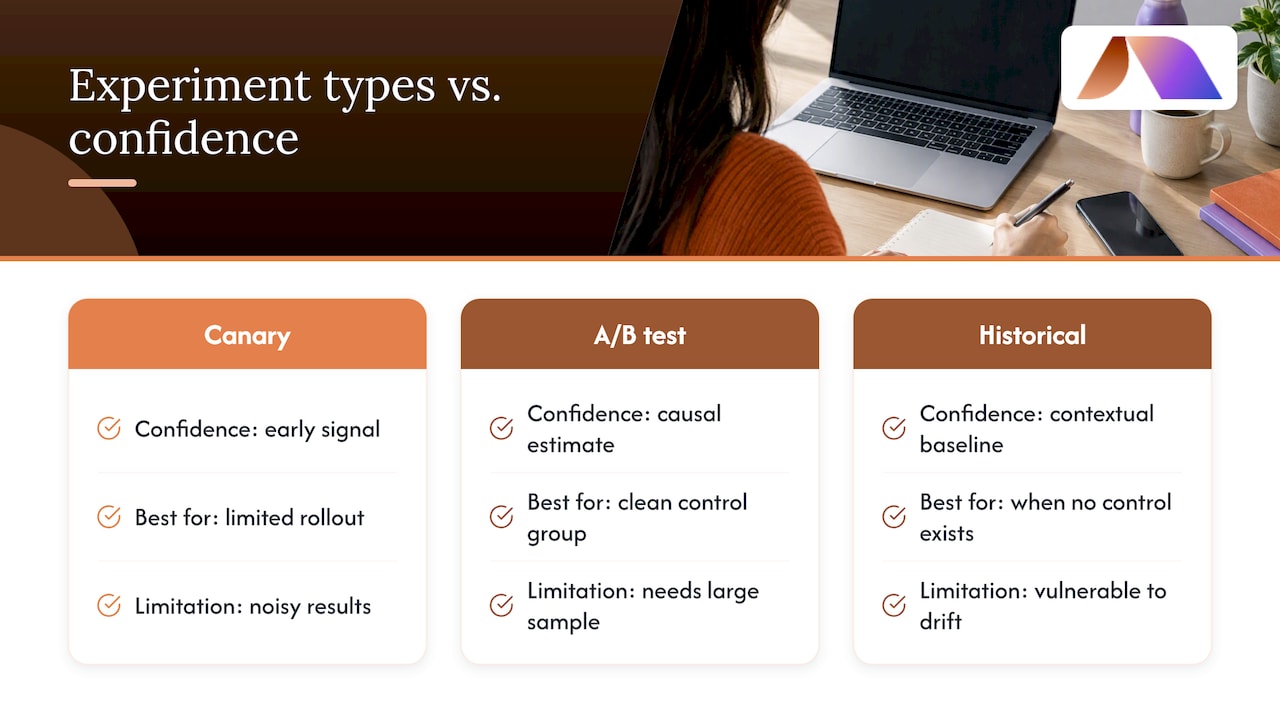
Canary rollouts, proper A/B tests, and matched historical baselines each give you a different kind of confidence; use canaries for early signal, A/B tests when you can run a clean control group, and historical baselines when you cannot. The same Alibaba field experiment that found reduced chat duration also found heterogeneous effects across agents, a reminder that averaging across your whole team can hide the fact that your best agents and your newest hires are experiencing the tool completely differently.
Review pilots on a fixed cadence, every two weeks is reasonable for an eight-week pilot, and watch for the common trap of measuring agent productivity while losing sight of customer experience. A faster average handle time means nothing if satisfaction is quietly dropping underneath it.
Evaluating tools and vendors without the sales pitch
Strip away the demo polish and focus on five things that actually predict whether a tool will work inside your stack.
Integration fit: confirm the connectors you need exist today, not on a roadmap, and test deployment against your actual ticketing system.
Model and data controls: ask whether fine-tuning is supported, whether retrieval is grounded in your own knowledge base, and how often retraining happens.
Operational SLAs: get specifics on uptime, latency under load, the support model, and incident response times in writing.
Cost structure: understand whether pricing is per seat, per inference, or a managed service fee, since these scale very differently as volume grows.
Proof-of-concept scope: set a defined trial period with exit criteria agreed in advance, so a stalling vendor cannot quietly extend the evaluation indefinitely.
A useful outside reference for this stage is a practical checklist for evaluating an AI feature beyond the demo, and for teams assessing retrieval-grounded response generation specifically, this RAG evaluation playbook walks through retrieval quality testing in more technical depth.
How BRDGIT runs pilots and supports teams
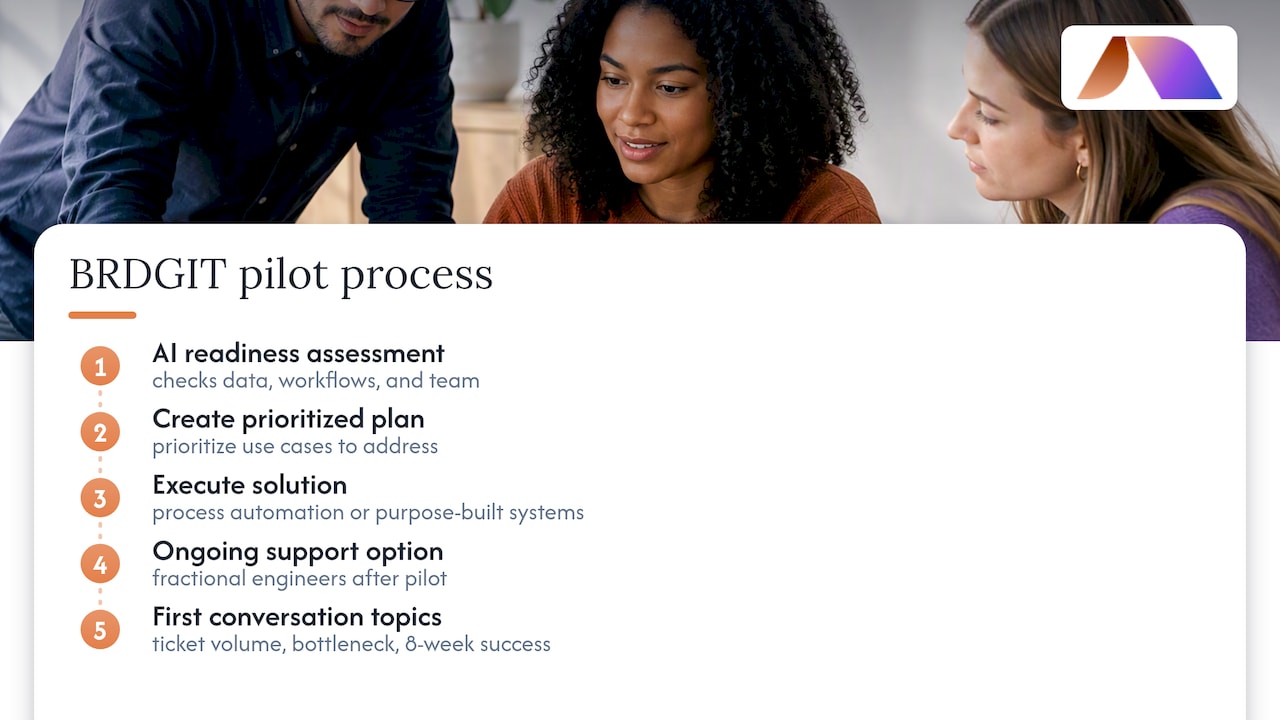
We start most engagements with an AI readiness assessment, which tells us what your data, workflows, and team can actually support before we recommend anything. From there we create a plan that prioritizes use cases as described above, then move into execution through process automation or purpose-built systems. Teams that need ongoing support without a full-time hire bring in fractional engineers to carry the work past the pilot stage. A typical first conversation covers your current ticket volume, your biggest bottleneck, and what a successful pilot would need to prove within eight weeks.
Four rollout mistakes we see repeatedly
Teams skip the data readiness check and automate on messy ticket history. They scope pilots too broadly instead of picking one narrow, high-volume use case. They treat human oversight as an afterthought rather than a designed escalation path. They try to build governance and custom systems in-house without the AI engineering depth it takes, when fractional support closes that gap faster than a new hire search.
— Team BRDGIT
Ready to scope your first AI automation pilot?
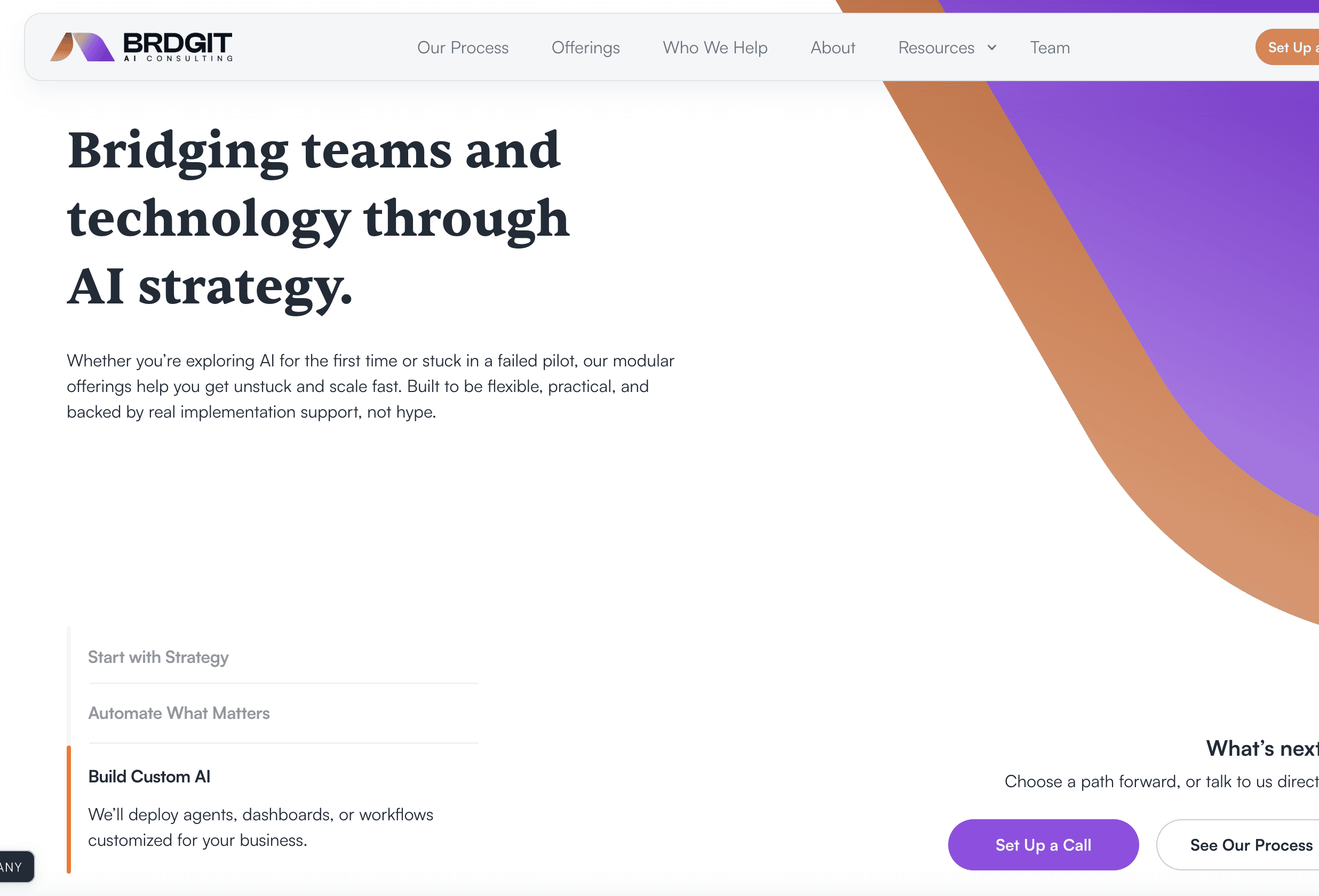
If you want a second opinion on where to start, our AI Readiness Assessment gives you a clear view of your data, workflows, and the highest-impact first use case within a short engagement, and our AI Blueprint turns that into a prioritized roadmap you can act on.
Readiness Assessment: evaluates your current data, tools, and ticket patterns before any build starts.
AI Blueprint: prioritizes use cases and sequences them into a pilot-ready plan.
Fractional Engineers: carry implementation and ongoing support without a full-time hire.
Step | What it delivers |
|---|---|
A clear picture of your data and workflow gaps | |
AI Blueprint | A prioritized, sequenced automation roadmap |
Workflow Crew / Custom Agent Build | A working pilot scoped to one use case |
Ongoing support to scale past the pilot |
Start with a conversation about your AI Readiness Assessment, or if you already know you need hands-on engineering support, look at our fractional engineer services directly.
FAQ
What is the 10/5/3 rule in customer service?
This is not a standardized industry framework with a single agreed definition, so we will not assign it a figure we cannot source. If you have encountered it in a specific vendor’s materials, treat it as that vendor’s own framing rather than a universal standard.
How can AI be used in customer service?
AI handles ticket triage and routing, drafts responses grounded in your knowledge base, powers chat and voice agents for routine questions, and automates follow-up steps like refund processing. The strongest results come from pairing these tools with human oversight rather than full automation, since field evidence shows generative AI assistants improve speed and quality unevenly across agents.
What is the 30% rule for AI?
Like some informal rules of thumb, this is not a figure tied to a named, verifiable standard, and definitions vary depending on where you encounter it. We would rather tell you that than attach a number we cannot back with a source.
How do I create an AI agent for customer service?
Start by identifying one high-volume, low-complexity use case, such as order status questions, and ground the agent’s responses in your actual knowledge base rather than general training data. From there, pilot it with a defined sample size and clear escalation rules before expanding scope, an approach we walk through in detail in our implementation roadmap.
Can mixing AI and human communication styles improve satisfaction?
Peer-reviewed research on chatbot-human service teams found that dividing communication styles, such as task-focused versus socially warm roles, between the chatbot and the human agent can increase customer satisfaction compared with both using the same style. This suggests deliberate design of who handles the “warmth” versus the “competence” side of an interaction matters more than treating AI and human agents as interchangeable.



